
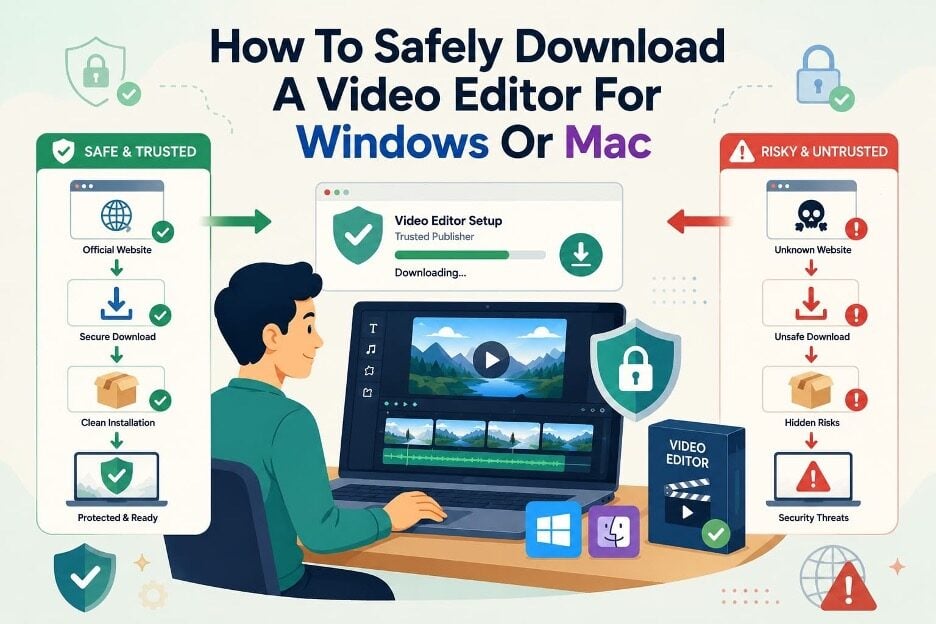
Searching for video editors often shows official pages beside mirrors and modified installers. These unofficial pages can look trustworthy, making the correct source difficult to identify. Choosing a Wondershare Filmora free download from the wrong page may expose your system. Installers may request permissions during setup before you confirm whether the software works.
Filmora supports Windows and macOS, so choosing the correct installer also matters. This guide explains how to download Filmora and verify it works correctly.
Part 1. Why the Download Source Matters
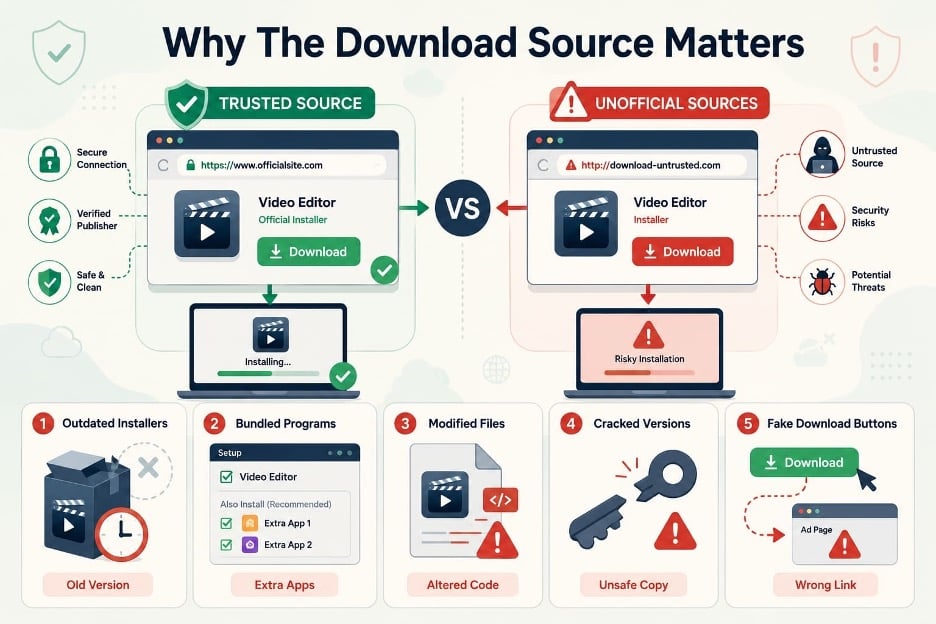
Choosing the wrong Filmora download source can expose your computer to unwanted software risks. Now, let’s examine 5 common problems you may face when using unofficial download sources:
- Outdated Installers: Third-party sites may provide older versions missing important updates, fixes, and newer features.
- Bundled Programs: Repackaged installers can include extra programs that users may accidentally install during setup.
- Modified Files: Altered installers may contain unwanted code while the main video editor still works.
- Cracked Versions: Cracked software bypasses licensing controls and may contain unsafe or unverified program changes.
- Fake Download Buttons: Some websites show misleading buttons that can send users toward unrelated software or pages.
Part 2. How to Recognize an Official Download Page
Checking the official source before users download Filmora helps avoid unsafe installer files. The 5 checks below help confirm whether a download page belongs to Wondershare officially:
| What to Check | What a Genuine Page Shows |
| Domain | The publisher’s official domain without misspellings, extra words, or misleading variations |
| Publisher Name | Wondershare or the correct software company identified on the website |
| Secure Connection | An HTTPS connection that protects data exchanged between your browser and website |
| Product Information | Current product details, supported systems, and information matching the publisher’s documentation |
| Platform Options | Clear Windows and Mac download choices when separate installers are required |
Part 3. Choose the Correct Installer for Windows or Mac
Windows and macOS use different installer formats for downloading and setting up desktop software. Your Filmora free download should provide the correct installer for your operating system.
Windows Installers
Windows downloads arrive as .exe files that run the software setup wizard. The setup wizard registers the installed program with the Windows operating system. Launching it usually shows a security prompt naming the publisher; read it.
macOS Disk Images
macOS uses .dmg files, which mount on the system as temporary disk volumes. Installation means dragging the application from that volume into the Applications folder directly. Gatekeeper verifies signatures, notarization, and integrity, but users can override certain security warnings.
Note: The downloaded file should carry the extension the page advertised. An archive that unpacks into an installer, rather than downloading one, deserves a second look.
Part 4. How to Download Filmora from the Official Website
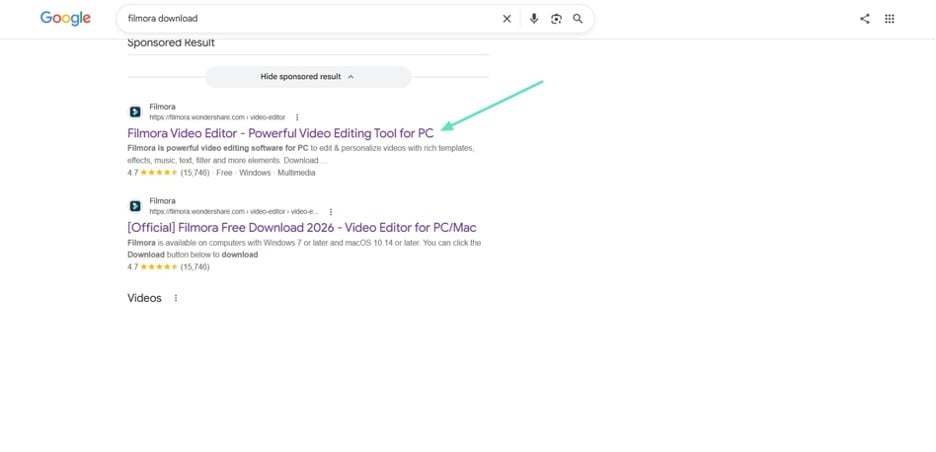
Searching for Filmora free options often shows aggregator sites and software archives above Wondershare’s page. Using earlier checks narrows results because one page matches current system requirements. The Filmora download page provides Filmora 15 with separate Windows and Mac builds.
Its initial setup file stays under 2 MB when downloaded for Windows systems. The Mac setup file is around 3 MB, then retrieves the full program. Treat any single archive of several hundred MBs with suspicion before opening it. You can also review the Filmora video editing features before installing the desktop editor.
Step 1. Visit the Official Filmora Download Page
On Google Chrome or any other browser, launch the Filmora section of Wondershare rather than through the advertisements.
Step 2. Choose the Correct Operating System
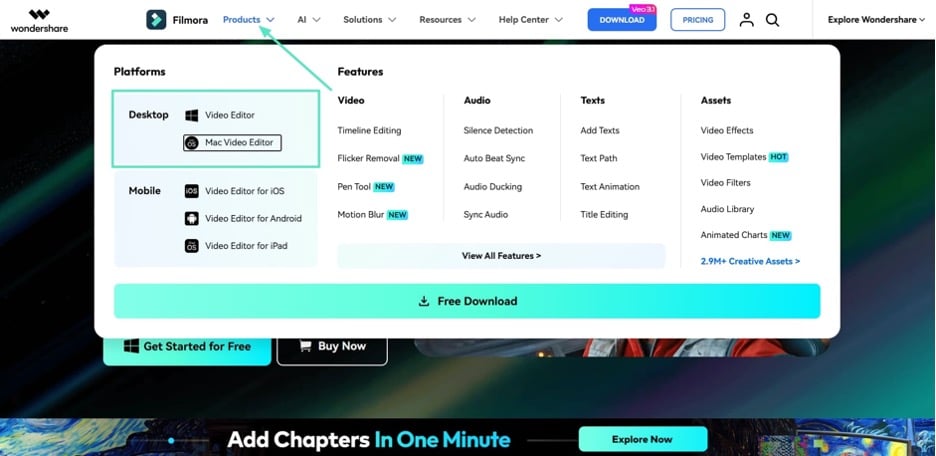
Next, access “Products” at the top and choose your required operating system. On the relevant page, download Filmora and check its system requirements. Filmora 15 requires 64-bit Windows, while the Mac version supports macOS Catalina or later, including Apple Silicon.
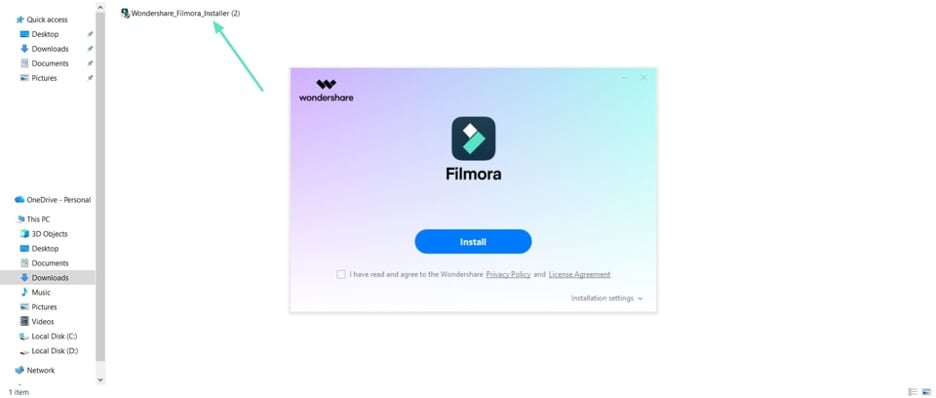
Step 3. Open the Downloaded Installer
Run the “.exe” file on Windows or mount the “.dmg” on Mac. Confirm that the publisher named in the security prompt reads Wondershare before allowing it to continue.
Step 4. Follow the On-Screen Instructions
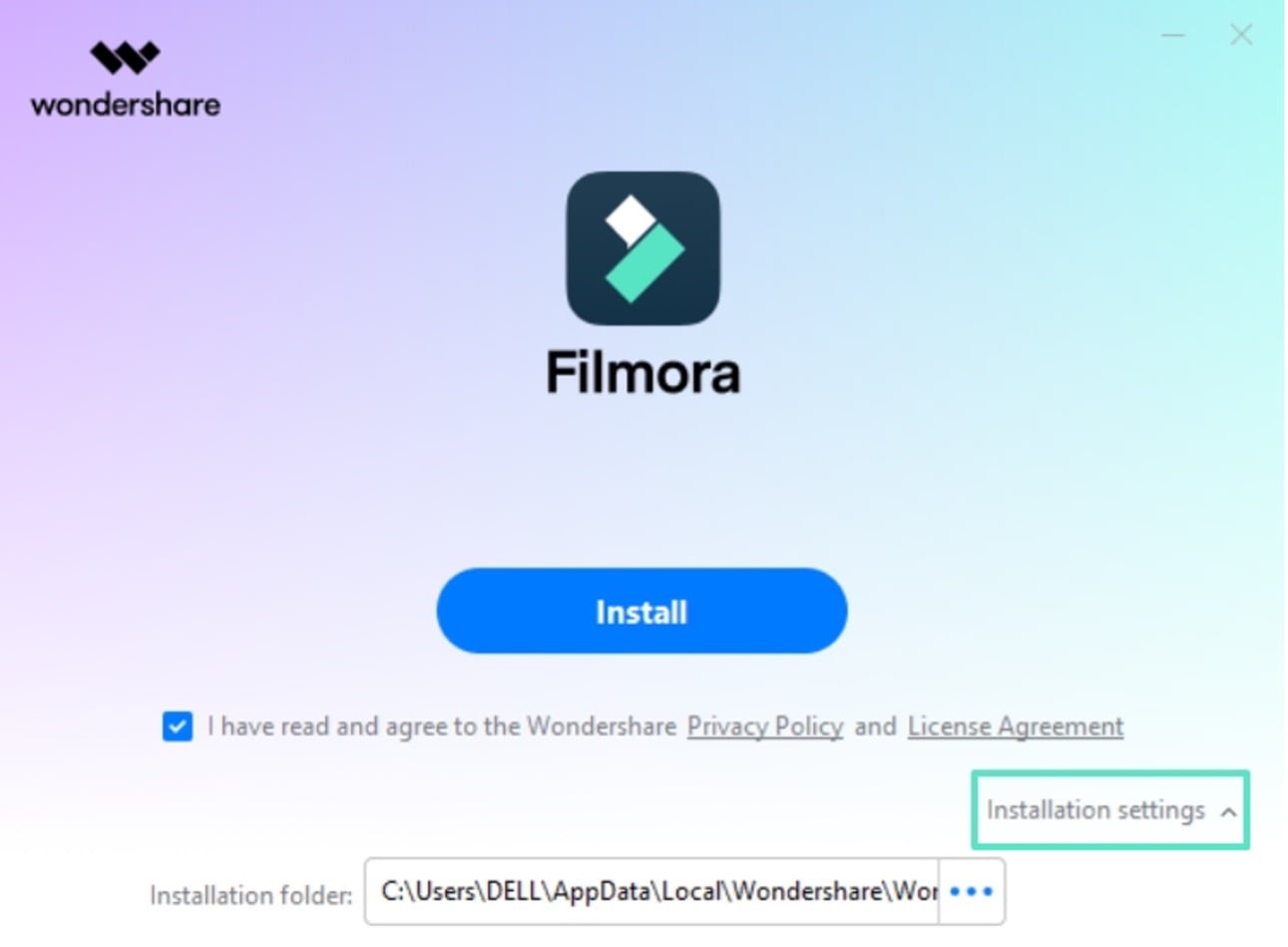
Press “Installation Settings,” accept the default installation location, and let the setup file retrieve the remaining components. No license key is required, because the free version opens with the full toolset and applies a watermark only at export.
Part 5. Verify Filmora After Installation
Completing a Wondershare Filmora download does not confirm the program works yet. These quick checks confirm Filmora installed without interruptions or damaged program files:
| Check | What Confirms It Works |
| Launch the Application | The workspace opens with the media panel, preview window, and timeline visible |
| Create a Blank Project | A new blank project opens without errors and displays the editing workspace |
| Import a Short Clip | The selected video appears in the media panel and can be added |
| Play the Preview | The imported clip plays with video and audio in the preview window |
| Open the Export Window | Format, resolution, and destination options appear and can be selected |
Once these basic checks work, you can follow the Filmora beginner guide to learn the desktop editing workflow.
Conclusion
A safe software download begins with checking the source before opening any installer. Confirm the official domain, publisher name, and current product details before downloading anything. Choose the installer matching your operating system and verify Filmora after installation. These simple checks make a Filmora download safer and more predictable for users.
