

Imagine working in a cluttered desktop environment and ask why do I need help? Why is nothing properly displayed and aligned on the screen? What caused the screen to malfunction? The answer is that the desktop is extremely messy. I get?bit embarrassed whenever I needed to?share screen on a?video chat. So, iTop Easy Desktop is the perfect solution to address all such issues.
What is the iTop Easy Desktop?
iTop Easy Desktop is a comprehensive desktop organization tool for Windows that allows me to quickly organize my desktop and make it more visually appealing. This program acts as a personal assistant and supports desktop organization with practical features such as icon grouping, adding attractive background images, various tools, a screenshot tool, and an automated chat program. This desktop organization program allows me to complete previously unfinished tasks in seconds.
Features I Liked for iTop Easy Desktop
Automatic Organization With One Click
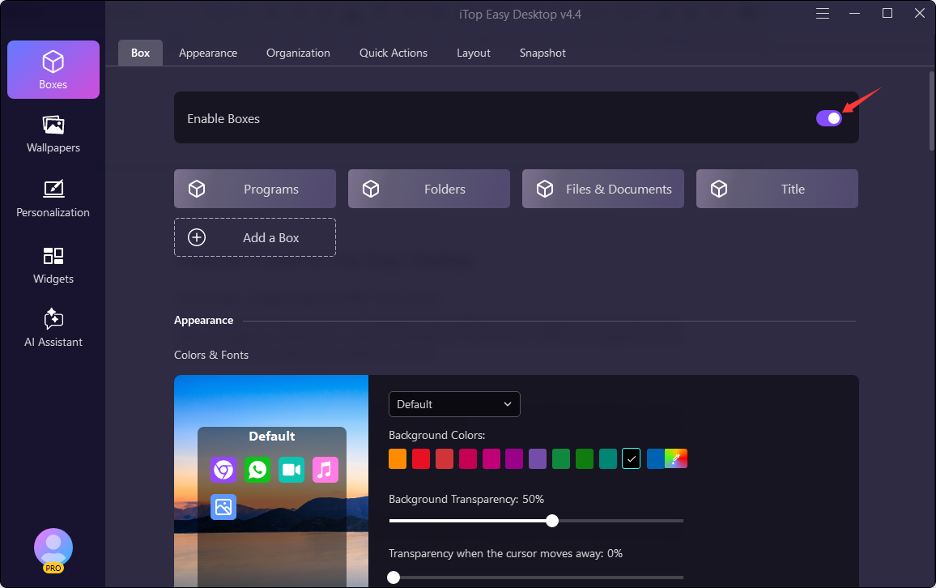
This feature truly demonstrates the potential of this software. Do not move the icons individually. This will make my desktop look cluttered. Clicking the “Enable Boxes” button will organize all icons on my desktop into logical and configurable groups.
Customization
I can either use existing packaging or design on my own. I can name it after my preference, such as “Important Customer” or “Very Important.” Otherwise, I can break down the office space into several sections, based on the nature of my activities. For instance, one section to work in, another to relax, and yet another to browse the internet.
Easy File Search
The search for the object within the software is possible as well. It is enough just to type in the name of the object, and the software will assist me in finding it. No more do I need to search for the right sign among all the others.
Multifunctional Assistant
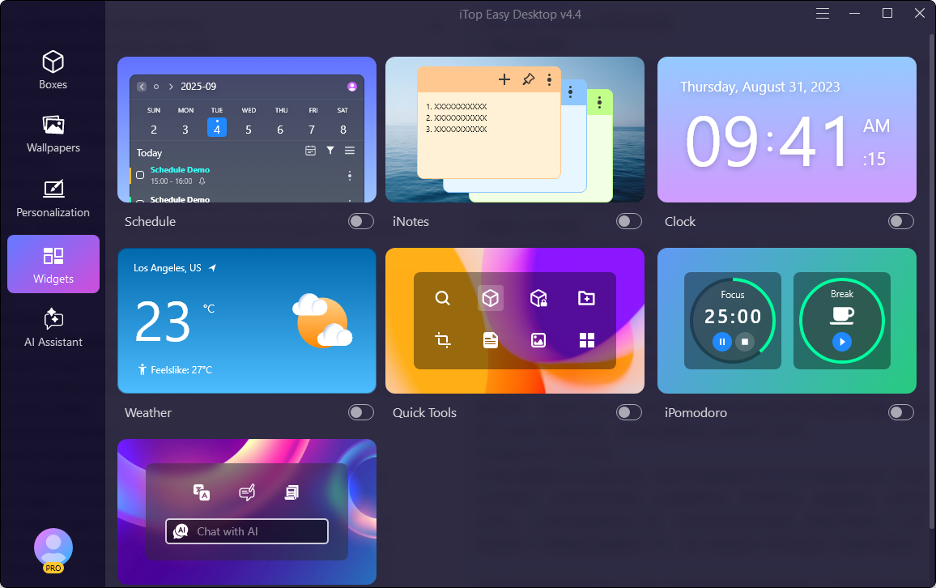
This Desktop Organization Software makes tidying up in an easy manner. The application named iNotes enables me to jot down my ideas and tasks. The planner is superb for scheduling the time through making appointments and deadlines. Also, this application works well with Microsoft Outlook and Google Calendar so that no events are missed. The screenshot function allows you to take any part of your screen regardless of its size. Screenshotting the scrolling screen is perfect for making a webpage screenshot as one picture. ChatAI does not require registration and is fully integrated with ChatGPT.
An Appealing Workplace
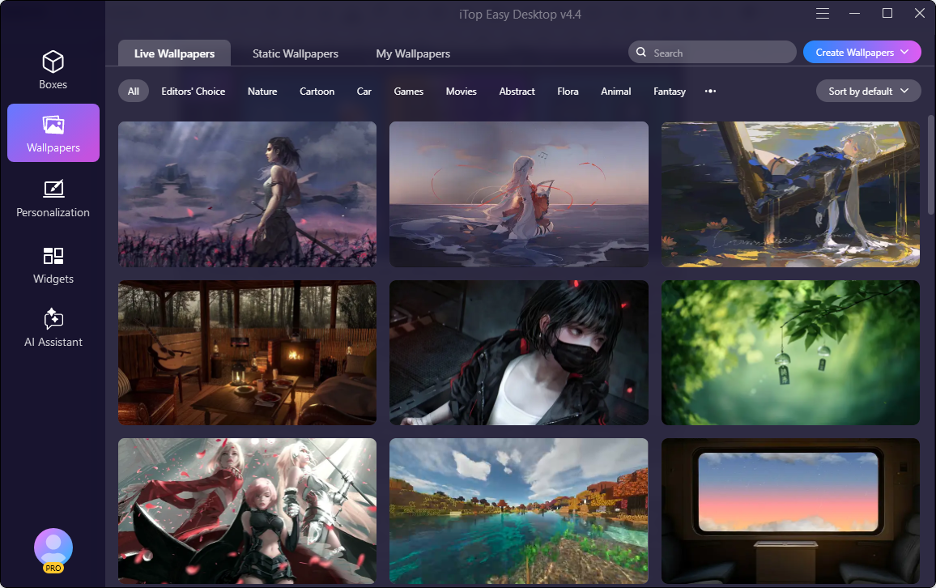
Appearance is more important than we think. With over 20,000 wallpapers (including animated backgrounds, dynamic multi-panel backgrounds, themed background packs, menus, desktop icons, mouse pointers, etc.), my desktop reflects my personality, not my laziness. I even have a virtual pet! This little green creature never leaves my side as long as I work in front of the screen all day.
How to Use It – A Three Step Guide
Step 1: Download the iTop Easy Desktop software for free from the official website.
Installation on a Windows system is very easy and only takes two minutes. No complicated setup is required and there is no additional advertising. The iTop program replaces my previous desktop interface, so I can start using it immediately. Basic functions don’t require any registration or payment.
Step 2: The program will organize all the items on my desktop into boxes once it is installed. It was a good experience.
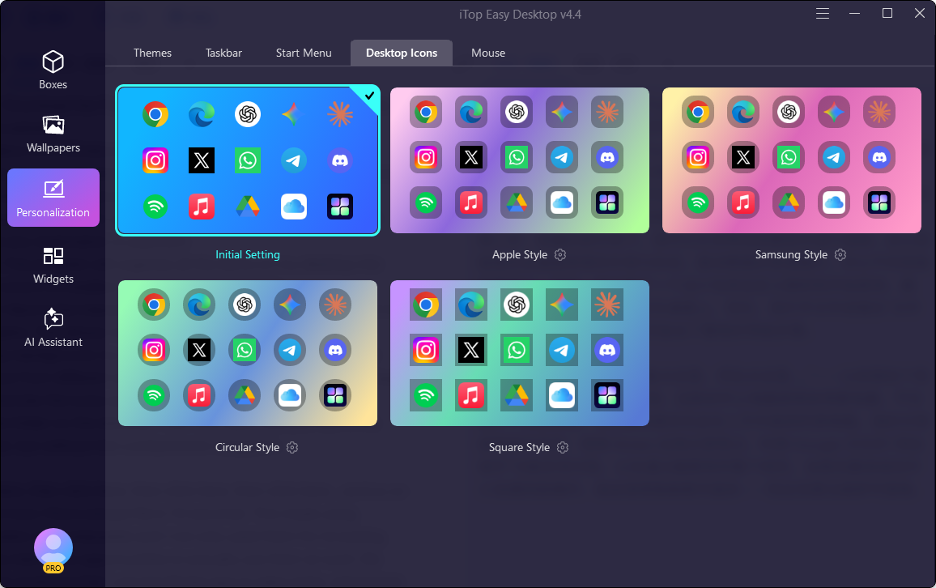
Step 3: Here is the interesting part. I can select one from different live wallpapers. This allows me to change the look and shape of my desktop background, try out great background images, and view windows from different angles. I then downloaded a design package to customize the icons and the start menu. Finally, I installed my favorite folder on the desktop. I can now open files just like in File Explorer, but without the cumbersome navigation.
Click here, then click here, then click here, then click here… and so on – that’s how I find a simple file in 10 seconds. This made using computers more enjoyable and I not only used them for browsing, but also had more opportunities to actually use them at work.
Who Should Use iTop Easy Desktop?
Students working on projects, remote workers, designers, gamers and others will particularly benefit from this service. In fact, anyone who feels overwhelmed by using their computer should try iTop Easy Desktop.
Final Thought
If someone had ever told me that desktop organization software would be perfect for my computer, I wouldn’t have believed it. But now that my desktop is properly organized and I realize how convenient that is for me. Not only is my desktop clean but it also shows who I am. So, using iTop Easy Desktop software. It has made my work simpler and more fun. I like how organized everything looks. It helps me focus better. I feel more in control of my space. The software just works well for me. I don’t have to stress over clutter. My screen feels calm and clear. I check my desktop every morning. It makes me more productive too. I’m glad I found this tool.Try it out! Your?screen will love it.
