
If you’re looking at a particularly long page on your iPhone, it can take forever to “flick” your way back to the top (which is where the address bar is). Fear not, dear reader, for I have a solution to this flicking problem….
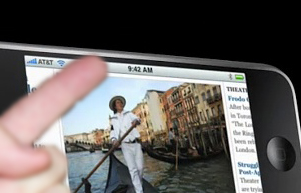
simply touch the top bar (the one with the AT&T text on it and the time) and the page will automatically shoot up to the top and drop down the address bar.
It can be a real time saver.


2 thoughts on “iPhone Quick tip: Scroll up to the Address bar with one touch”
I just discovered that feature today. Sure was one of those nice touches that I find constantly with my iPhone.
Thank you for that!! This has been bugging me for two weeks, and will keep me more sane.