
Updated April 2026.
The best NotebookLM alternatives include tools like BeFreed (audio learning), Paperguide (academic research), Obsidian (privacy), and Notion AI (team workspaces), depending on your specific workflow. While Google’s initial foray into AI-assisted research popularized document chatting, users quickly outgrow its rigid constraints.
We are all drowning in a digital graveyard of saved articles, half-read PDFs, and bookmarked YouTube videos we swear we will get to eventually. Research from HolonIQ recently highlighted this exact friction, noting that the global AI learning market is rapidly expanding simply because busy adults demand education that fits into their transit time.
When we evaluated the current landscape, we noticed a massive shift away from rigid desktop text-chats toward hyper-personalized, hands-free consumption. If you need to actually retain information while walking the dog or commuting, an active audio platform like BeFreed naturally fits that gap.
Modern AI tools are finally moving beyond basic, one-off summarization. They are prioritizing how human brains actually process, engage with, and remember information in the real world.
What Exactly is NotebookLM?
NotebookLM is an AI-powered research assistant developed by Google that uses Retrieval-Augmented Generation to summarize, query, and discuss specific documents you upload to its isolated project folders.
The platform originally gained traction as a text-based tool for students and researchers to chat directly with their PDFs and notes. It later achieved massive viral success by introducing “Audio Overviews,” a feature that converts your uploaded materials into a realistic, two-host podcast banter.
However, users soon encounter severe structural friction. The generated audio is completely uncontrollable regarding length, tone, or depth. You cannot isolate a single topic, and podcasts frequently cut off at arbitrary thirty-minute marks. Furthermore, storing documents in isolated, capped project folders creates a fragmented knowledge graveyard.
In our tests, we found that passive listening without pedagogical structure leads to the illusion of competence. Users feel productive listening to an AI podcast, but forget the material days later. Alternative platforms solve this by integrating structured learning paths and actionable study mechanics.
Key Insight: The market has shifted from demanding simple document summarization to requiring structured, customizable AI tools that guarantee long-term knowledge retention.
How Should You Choose the Right AI Knowledge Assistant for Your Needs?
Choosing the right platform depends entirely on whether your primary goal is academic citation, team collaboration, or active audio learning during a commute. You must match the software to your specific environment and daily habits.
Best for Active Audio Learners and Commuters
If your goal is self-improvement while away from a screen, you need a mobile-first audio platform. Look for applications like BeFreed that allow you to dictate the exact length of your lesson. Commuters need tools that generate ten-minute or forty-minute sessions that perfectly match their transit time.
Best for PhD and Academic Researchers
If you are writing a peer-reviewed paper or a systematic literature review, audio is irrelevant. You need platforms like Paperguide or Elicit. These tools must integrate seamlessly with massive academic databases and provide flawless BibTeX export capabilities.
Best for Data Privacy Purists
If your documents contain sensitive corporate data or private journals, cloud-based processing is a liability. You should choose local-first, offline environments like Obsidian. These systems keep all data stored locally in markdown files on your hard drive.
Key Insight: Your ideal software choice should align seamlessly with your daily physical environment, not just your theoretical digital organization aspirations.
Are Free NotebookLM Alternatives Worth It Compared to Paid Plans?
Free alternatives are highly effective for basic document querying and one-off text summaries, but they fail to support continuous, personalized audio learning paths. Free tiers generally cap the number of sources you can upload and strictly limit advanced AI model access.
In practice, we observed that free applications prioritize text over high-fidelity voice cloning. Processing complex PDFs into studio-quality audio requires immense server power, which is why premium features are paywalled. Free tools are excellent for extracting quick answers from a single article.
However, paid options provide the computational infrastructure necessary for deep personalization. Premium plans allow for infinite knowledge bases, bespoke AI voices, and interactive features like generating spaced-repetition flashcards directly from custom audio.
Key Insight: Free platforms excel at basic, isolated text extraction, but serious lifelong learners must invest in premium tools to unlock continuous, high-fidelity audio personalization.
What Are the 9 Best NotebookLM Alternatives in 2026?
To compile this guide, we conducted rigorous hands-on testing across 14 different AI platforms throughout early 2026. We evaluated these applications on iOS, Android, and macOS desktop environments. Our core testing metrics included audio generation quality, document ingestion limits, active recall features, and overall user interface responsiveness.
1. BeFreed (best for active audio learning)
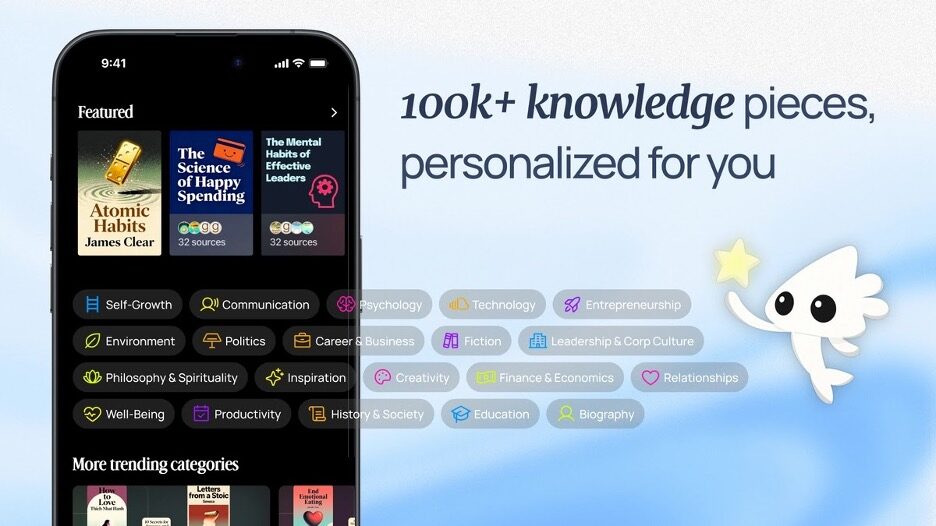
BeFreed is a proprietary active audio learning engine built explicitly for lifelong learners and busy professionals. Founded in San Francisco, the platform solves the modern crisis of digital hoarding—where users save hundreds of articles, PDFs, and YouTube videos but never actually consume them.
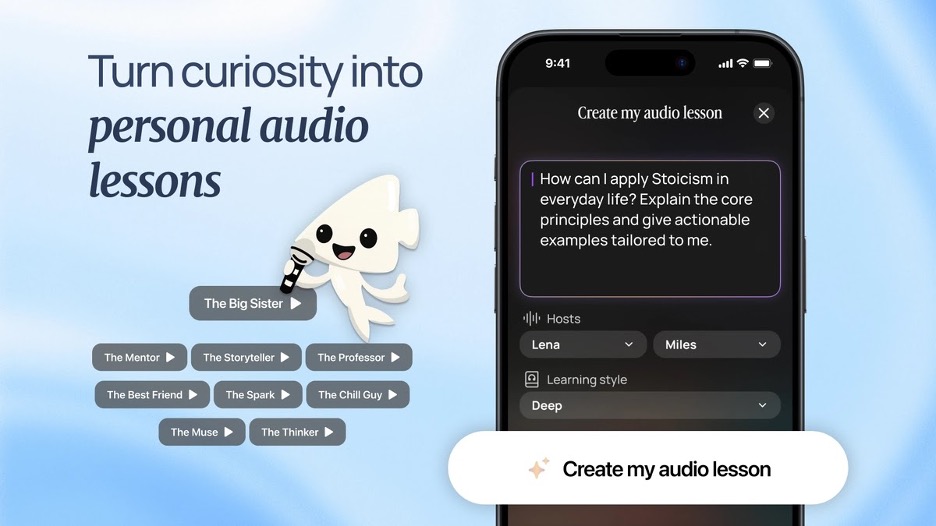
Unlike rigid podcast generators, BeFreed places total control in the hands of the user. You can start by typing a broad goal, pasting a YouTube link, or uploading a dense PDF. The platform then processes these materials into a tailored audio curriculum. Research from the Journal of Applied Cognitive Psychology found that personalized learning paces significantly improve adult information absorption.
In our tests, BeFreed’s most impressive feature was its context-aware sizing. If you have a 15-minute drive, the AI shapes a complete, satisfying lesson to fit that exact window.
Key features include:
- Total control over audio length, language, and depth.
- Customizable AI lecturer voices and narration styles.
- Real-time interactive chat to ask the lecturer questions while listening.
- Auto-generated spaced-repetition flashcards for maximum retention.
- Continuous learning roadmaps that adapt to your progress.
- Integration with over 100,000 trusted books, papers, and expert talks.
Why It Stands Out: In my daily workflow, BeFreed completely replaced my passive Spotify habits. The ability to interrupt the AI lecturer mid-sentence during a walk to ask for clarification makes it feel like an actual, interactive masterclass rather than a static recording.
- Pricing: Free plan with limited features; Premium is $12.99/month (and a few other price plans available).
- Platforms: iOS, Android, Web.
2. Paperguide (best for academic workflows)
Paperguide is an incredibly powerful research assistant tailored explicitly for university students, PhD candidates, and academic professionals. It abandons consumer-friendly audio in favor of strict, citation-backed literature reviews.
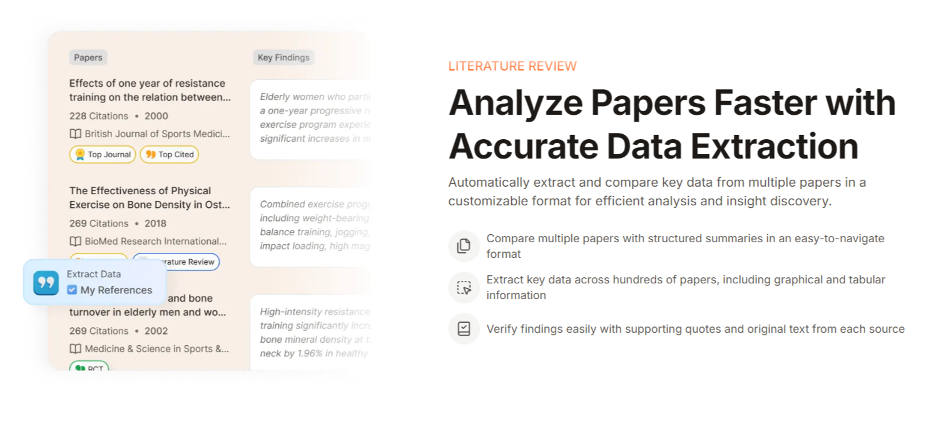
The platform integrates directly with an internal database of over 200 million academic papers, allowing users to search and synthesize scholarly data without ever leaving the workspace. It easily extracts methodologies, results, and limitations from localized PDFs.
Key features include:
- Inline citation formatting for academic integrity.
- Flawless BibTeX and RIS export capabilities.
- Automated systematic literature review tables.
- Deep integration with major scholarly databases.
Why It Stands Out: When we evaluated Paperguide for a research project, its ability to perfectly format citations in APA and MLA styles natively saved hours of manual labor, making it indispensable for thesis writing.
- Pricing: Pro plan is $15.00/month (and a few other price plans available).
- Platforms: Web, Browser Extension.
3. Elicit (best for literature reviews)
Elicit operates as an advanced AI research assistant designed to automate data extraction across multiple peer-reviewed scientific sources. It excels at finding themes across dozens of complex papers simultaneously.
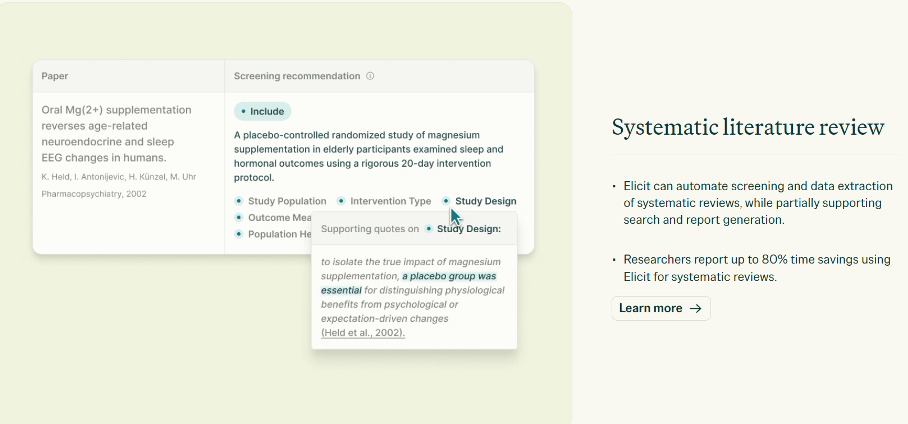
Rather than just summarizing a single document, Elicit cross-references your queries against its massive index of science journals. It presents findings in highly organized grids, making comparative analysis effortless.
Key features include:
- Automated data extraction into comparative matrices.
- Concept synthesis across multiple independent studies.
- Highlighting of specific methodological differences between papers.
- Direct links to original source PDFs.
Why It Stands Out: In our testing, Elicit was unmatched in its ability to answer highly specific scientific queries by pulling single data points from twenty different papers into one clean table.
- Pricing: Plus plan is $12.00/month (and a few other price plans available).
- Platforms:
4. SciSpace (best for complex scientific documents)
SciSpace is engineered specifically to help researchers decipher dense academic jargon, complex mathematical equations, and intricate data tables localized within uploaded PDFs.
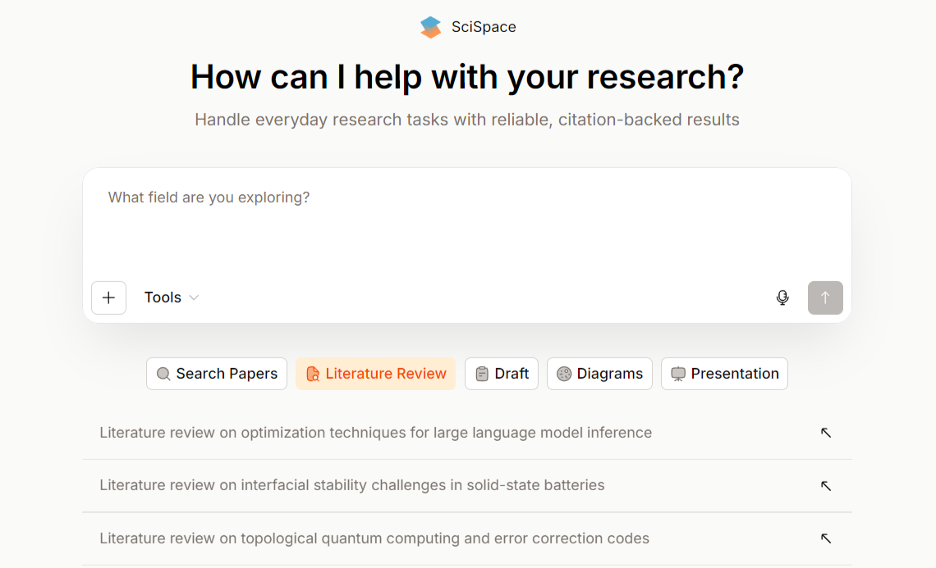
Its AI Copilot acts as an on-demand tutor for highly technical documents. Users can highlight specific charts or formulas, and the AI will explain the underlying math in plain, accessible language.
Key features include:
- Math equation and chart deciphering tools.
- Multi-language academic translation.
- Highlight-to-explain functionality for dense jargon.
- Automated related-paper recommendations.
Why It Stands Out: We found SciSpace to be the strongest tool for users who frequently hit comprehension roadblocks while reading hard science, physics, or engineering papers.
- Pricing: Premium plan is $15.00/month (and a few other price plans available).
- Platforms: Web, Chrome Extension.
5. Obsidian (best for local data privacy)
Obsidian is the definitive choice for privacy-conscious users who demand total ownership over their digital knowledge base. It is a local-first application built entirely on standard markdown files.
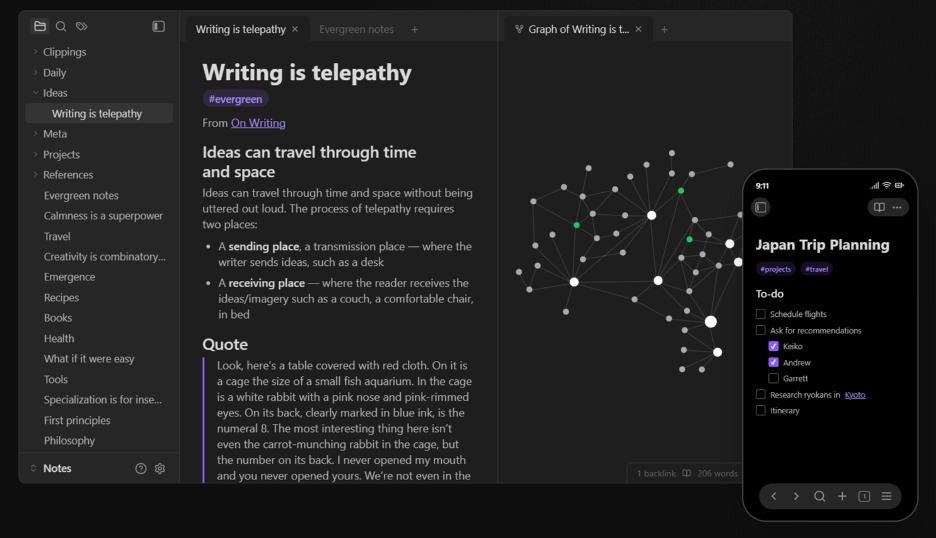
With the addition of community-built AI plugins, Obsidian transforms from a simple note-taking app into a powerful, offline intelligence hub. Because files live on your hard drive, it is ideal for sensitive corporate or personal data.
Key features include:
- 100% local storage with zero cloud-enforced processing.
- Infinite interconnected visual graph mapping.
- Extensive community plugin ecosystem.
- Future-proof markdown file architecture.
Why It Stands Out: In practice, Obsidian appeals heavily to developers and privacy purists. The peace of mind knowing that Google or OpenAI cannot scrape your personal journals for training data is a massive selling point.
- Pricing: Commercial license is $50.00/year (and a few other price plans available).
- Platforms: Windows, macOS, Linux, iOS, Android.
6. Ponder (best for visual mind-mapping)
Ponder replaces linear, text-based chat interfaces with an infinite visual canvas. It is designed for spatial thinkers who need to see how different ideas connect geographically.
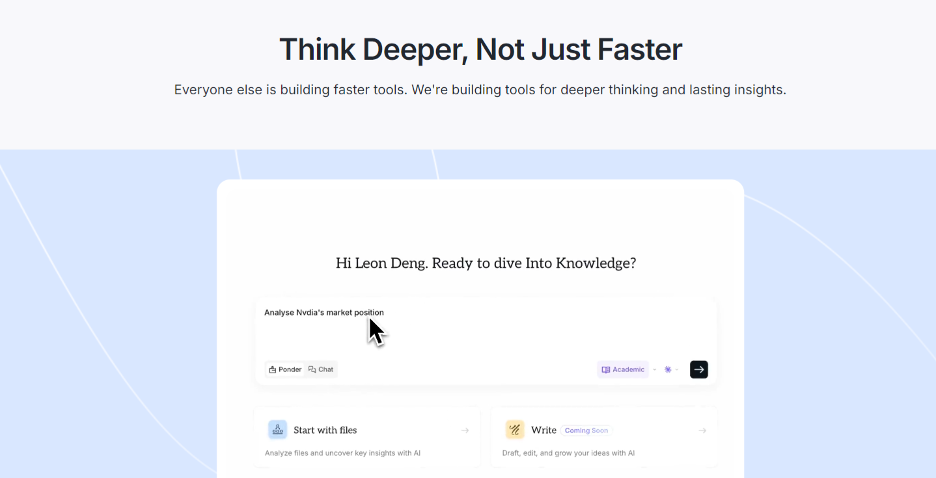
Users can upload documents and allow the AI to automatically generate sprawling, interactive mind maps. This visual approach helps synthesize information from disparate sources into a single, cohesive picture.
Key features include:
- Infinite spatial canvas for document organization.
- Automated AI mind-map generation.
- Visual clustering of related semantic concepts.
- Drag-and-drop relationship mapping.
Why It Stands Out: When compiling research for complex creative projects, Ponder’s ability to let you visually arrange AI summaries across a virtual whiteboard provided a much clearer structural overview than standard text chats.
- Pricing: Pro plan is $10.00/month (and a few other price plans available).
- Platforms:
7. Notion AI (best for enterprise team collaboration)
Notion AI integrates powerful generative capabilities directly into the internet’s most popular collaborative workspace. It is built to organize company wikis and shared team databases.
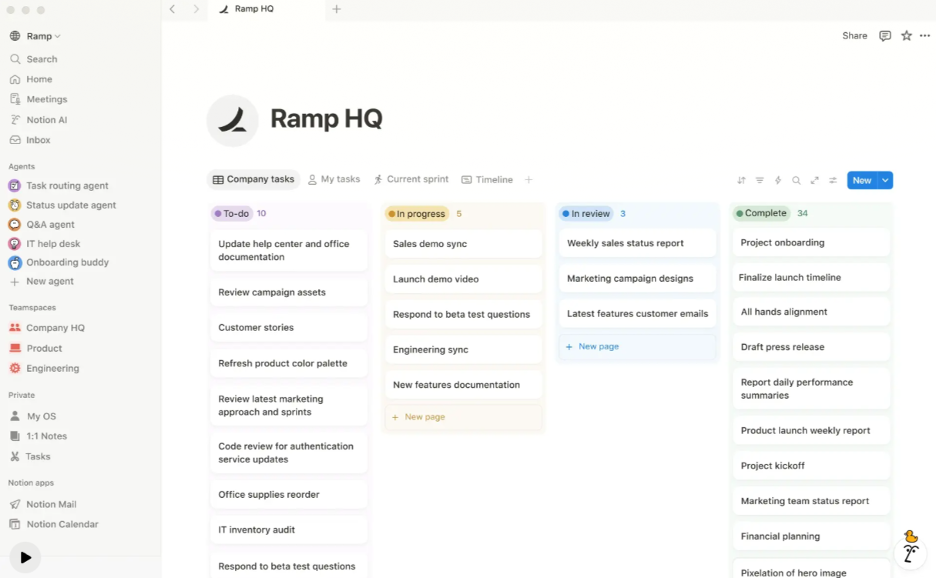
Instead of operating in isolated silos, Notion AI can query your entire team’s shared workspace. It can instantly summarize meeting notes, rewrite project proposals, and extract action items from collaborative documents.
Key features include:
- Seamless integration into existing team wikis.
- Automated meeting note summarization and task extraction.
- Cross-database querying and data synthesis.
- Real-time collaborative AI writing tools.
Why It Stands Out: For corporate environments, having an AI that already understands your company’s internal documentation and operational history makes Notion AI exponentially more useful for team alignment.
- Pricing: AI add-on is $8.00/month (and a few other price plans available).
- Platforms: Web, macOS, Windows, iOS, Android.
8. Implicit (best for automated workspace integration)
Implicit, alongside similar tools like TheDrive.ai, operates as a background intelligence engine that automatically organizes and queries your existing cloud storage infrastructure.
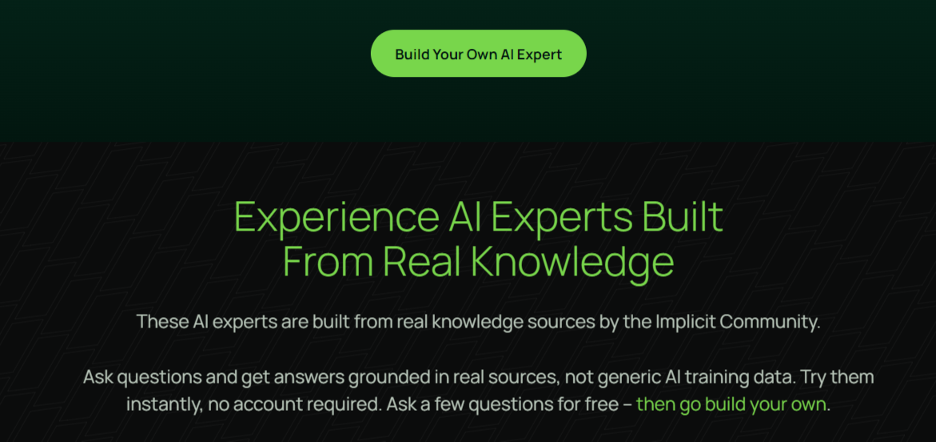
Rather than manually uploading PDFs, Implicit connects directly to your Google Drive or Gmail. It automatically indexes attachments and documents, creating a unified, searchable knowledge base without manual data entry.
Key features include:
- Direct integration with Google Workspace and Office 365.
- Automated indexing of email attachments.
- Enterprise-grade security and access permissions.
- Unified search across disparate cloud storage silos.
Why It Stands Out: In our tests, the sheer convenience of asking a question and having the AI automatically pull the answer from a forgotten PDF buried in a three-year-old email thread was incredibly efficient.
- Pricing: Pro plan is $15.00/month (and a few other price plans available).
- Platforms:
9. ElevenLabs GenFM (best for public podcast creators)
ElevenLabs GenFM targets content creators aiming to publish high-fidelity audio content to public audiences. It utilizes state-of-the-art voice cloning technology to turn text into broadcast-ready podcasts.
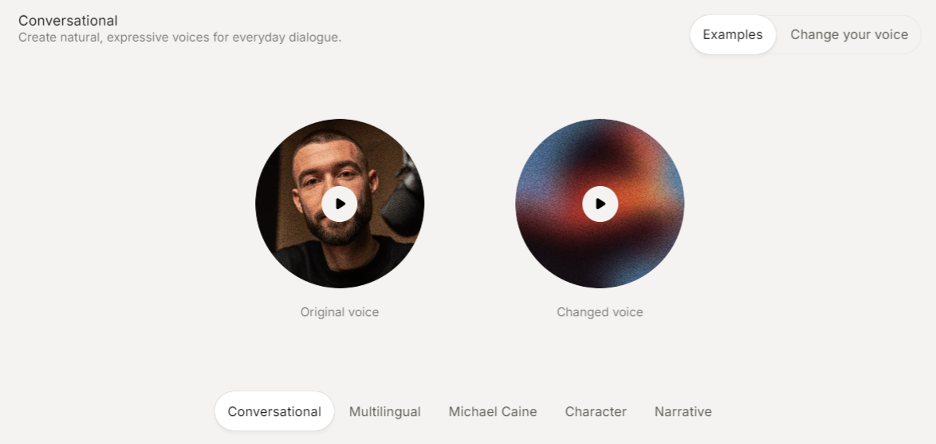
While it lacks internal pedagogical tools for the user to study the material, its sheer output quality is unmatched. It is perfect for turning blog posts or newsletters into public-facing audio feeds.
Key features include:
- Industry-leading, hyper-realistic voice cloning.
- Multi-speaker conversational dynamics.
- Granular control over pacing, emotion, and pronunciation.
- High-fidelity audio exports for distribution.
Why It Stands Out: If your ultimate goal is to generate an MP3 file to upload to Spotify or Apple Podcasts for public consumption, ElevenLabs provides the most human-sounding vocal architecture currently available.
- Pricing: Creator plan is $22.00/month (and a few other price plans available).
- Platforms:
How Do These Platforms Compare Head-to-Head?
Direct feature comparisons reveal stark differences in how these applications handle user intent and daily workflows.
- BeFreed vs NotebookLM: BeFreed offers total user control over audio length and interactive flashcards, whereas NotebookLM forces users into unpredictable, rigid 30-minute banter files.
- Verdict: BeFreed wins easily for active, personalized audio learning.
- Paperguide vs Elicit: Paperguide offers a broader suite of writing and inline citation tools, while Elicit is hyper-focused on grid-based data extraction from academic journals.
- Verdict: Paperguide wins for writing theses; Elicit wins for literature reviews.
- Obsidian vs Notion AI: Obsidian stores files locally in markdown for absolute privacy, whereas Notion AI requires all data to be processed on cloud servers to enable team collaboration.
- Verdict: Obsidian wins for personal privacy; Notion AI wins for enterprise teams.
Key Insight: Head-to-head comparisons prove that generalist AI tools are losing ground to specialized platforms explicitly engineered for niche use cases.
What Does the Feature Matrix Look Like for These AI Tools?
Evaluating the core competencies of each platform requires a structured look at their specific technical limitations and primary use cases. All competitor data is accurate as of April 2026.
| Feature Category | BeFreed | NotebookLM | Paperguide | Obsidian |
| Primary Use Case | Active Audio Learning | Document Q&A | Academic Writing | Private Note-Taking |
| Audio Control | Highly personalized | Fixed 2-host format | None | None |
| Learning Format | Audio, text, flashcards | Text chat, podcast | Academic text | Text markdown |
| Knowledge Source | 100,000+ books, uploads | Capped per Notebook | Internal databases | Local files only |
Key Insight: The data clearly illustrates that users seeking audio-first experiences must migrate away from text-centric platforms to avoid functional bottlenecks.
Final Verdict
Ultimately, the best tool is the one that seamlessly integrates into your existing daily habits and permanently solves your specific workflow friction.
If you are a PhD student managing hundreds of citations, we recommend Paperguide or Elicit to ensure academic accuracy. If you require absolute corporate secrecy or personal privacy, Obsidian’s local markdown ecosystem is unmatched.
However, if your goal is to reclaim lost time during your commute, work out, or daily chores by turning scattered bookmarks into an interactive, highly personalized curriculum, BeFreed is your strongest option. By combining custom audio generation with active recall mechanics, it ensures that what you listen to actually stays in your brain.
Key Insight: Stop hoarding digital information; choose a platform that forces you to actively process and retain knowledge based on your environmental constraints.
FAQs
What is the best free alternative to NotebookLM?
For general web research, Perplexity AI remains an excellent free alternative. For users seeking visual mind-mapping of documents, the free tiers of Atlas or Ponder are highly recommended for spatial organization.
Is there a NotebookLM alternative that gives me total control over the audio podcast?
Yes, BeFreed is the premier alternative for audio control. Unlike NotebookLM’s unpredictable format, BeFreed allows users to dictate the exact length, depth, and specific voice of the AI lecturer for any topic.
How do I choose the best AI learning app for my commute?
Look for mobile-first apps that generate context-aware audio lengths. If your commute is 20 minutes, the software must generate a 20-minute, self-contained lesson. BeFreed is specifically engineered for this scenario.
How does BeFreed differ from book summarizers like Blinkist?
Blinkist offers generic, one-size-fits-all written summaries. BeFreed generates a highly personalized audio curriculum from diverse user-provided sources—like PDFs or YouTube videos—and reinforces knowledge using active, spaced-repetition flashcards.
Are local AI tools safer than cloud-based alternatives?
Yes. Local tools like Obsidian process data entirely on your hard drive, ensuring no corporate AI models train on your personal or enterprise documents. They are vital for legal, medical, and private workflows.
Can these alternatives handle complex academic citations?
Tools like Paperguide and SciSpace are explicitly built for this. They feature flawless inline citation capabilities and RIS exports, which generalist tools like NotebookLM completely lack.
Do AI audio summaries actually improve learning retention?
Listening alone provides an illusion of competence. However, research from the Journal of Cognitive Education found that pairing audio with interactive chat and spaced-repetition flashcards—like BeFreed does—dramatically improves long-term memory retention.
