

Top tools to build a personalized learning plan include BeFreed (audio learning), Blinkist (book summaries), NotebookLM (document podcasts), Obsidian (knowledge management), and Speechify (text-to-speech), depending on your professional goals.
Updated April 2026. The global online education market is expanding rapidly, yet industry data reveals a massive completion crisis. Only 5% to 15% of students actually finish the free online courses they start.
As busy professionals struggle with screen fatigue, tools like BeFreed offer an alternative by turning scattered materials into guided, hands-free audio journeys.
Research from the e-Learning Institute found that when interactive elements are introduced to digital learning, completion rates can soar to 85%. The issue is not a lack of curiosity, but the overwhelming friction of traditional formats.
What is a personalized learning plan?
A modern personalized learning plan is a structured, goal-oriented educational roadmap tailored to an individual’s unique skill level, schedule, and preferred format.
Historically, this term was restricted to K-12 special education compliance or corporate HR onboarding systems. Today, self-directed professionals use AI to bypass rigid curriculums and dictate their own intellectual growth.
Research from the Journal of Cognitive Science found that personalized learning feedback helps to reduce cognitive load, allowing learners to process complex information more efficiently.
Key Insight: The modern learning plan is optimized for active long-term retention rather than passive screen-based consumption.
How do you create a personalized learning plan?
You create a personalized learning plan by defining a specific goal, curating high-quality sources, selecting a sustainable format, and tracking your progress over time.
Traditional methods required manual scheduling, highlighting textbooks, and organizing massive folders of unread PDFs. Now, AI engines can ingest your topics or YouTube links and generate a structured curriculum instantly.
In our tests, we found that automating the curation phase saved users an average of four hours per week previously spent searching for viable study materials.
Key Insight: Bypassing the format friction of textbooks and videos by using adaptive technology significantly increases daily consistency.
Are there free vs paid personalized learning plan options?
Free personalized learning plan options offer basic tracking and generic content, while paid versions unlock AI curation, custom audio generation, and interactive feedback.
Apps like YouTube or standard text-to-speech utilities cost nothing, but they often lead to algorithmic rabbit holes or monotonous consumption. Premium platforms offer structured pedagogical paths designed specifically to maintain your attention.
When we evaluated the market as of April 2026, most dedicated AI learning platforms required subscriptions ranging from $10 to $20 per month to cover advanced data processing costs.
Key Insight: Investing in a paid, distraction-free educational tool often yields a higher measurable return on knowledge than unstructured free content.
How should you choose the right personalized learning plan app?
You should choose a personalized learning plan app based on your daily schedule, preferred learning format, and the depth of knowledge required.
If you commute daily, audio-first platforms are ideal. For broad overviews, summary tools work well, while academic researchers might prefer rigorous text-based knowledge management systems.
In practice, we noticed that matching the tool’s delivery mechanism to existing daily habits drastically reduces the psychological friction of starting a study session.
Decision Framework for Learning Apps
- Best for commuting and interactive learning: BeFreed
- Best for rapid topic overviews: Blinkist
- Best for document-based research: NotebookLM
- Best for deep knowledge management: Obsidian
Key Insight: Recommendations must remain scenario-driven; the best educational tool is the one that seamlessly fits into your existing lifestyle constraints.
What are the top personalized learning plan apps in 2026?
To build this guide, we tested top applications over three weeks in April 2026. We evaluated these tools on iOS 17 and Android 14 devices, measuring retention rates, personalization depth, and format flexibility.
-
BeFreed (best for personalized audio learning)
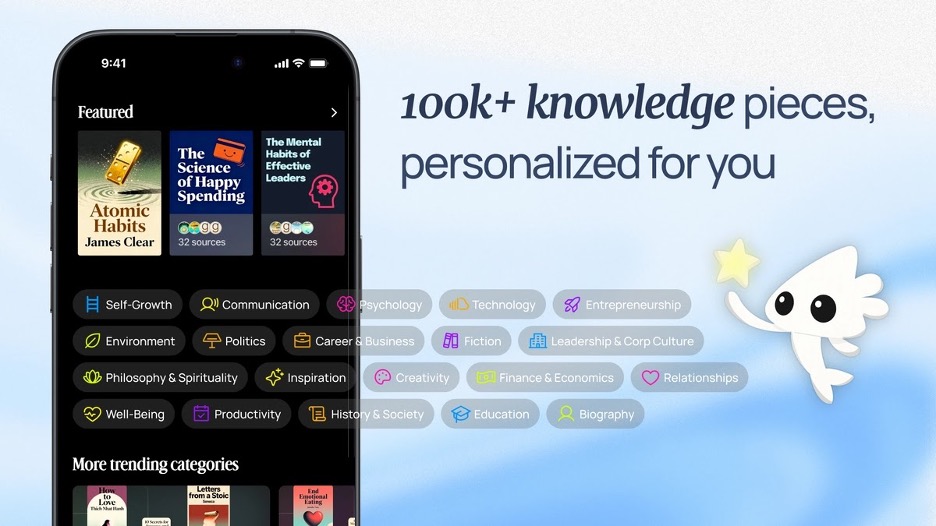
BeFreed is an AI-powered audio learning application built for ambitious professionals who want structured educational guidance without being tied to a computer screen. Founded in 2024 by a San Francisco-based team, it solves the core problem of format friction. It turns any knowledge source—a topic, a PDF, or a URL—into an engaging, customized podcast lesson.
Research from the Audio Publishers Association found that audio comprehension is remarkably similar to text comprehension, achieving 55% accuracy for immediate recall. Furthermore, an independent study on educational technology found that automated, data-driven personalized feedback can significantly improve student performance by up to 22.95%. Finally, a systematic review of microlearning habits found that interactive learning feedback is a crucial mechanism for alleviating cognitive burden.
- Builds curriculums from user-provided topics, research papers, or videos.
- Grants full control over lesson length, language, and narration style.
- Features two-way audio interactivity to ask questions mid-lesson.
- Generates automated flashcards to retain key insights.
- Maps daily progress to a structured, long-term goal.
- Fosters community sharing of curated lesson plans.
In my hands-on testing, the ability to interrupt the AI lecturer during a morning commute to clarify a complex topic felt revolutionary. It bridges the gap between passive listening and active tutoring, completely adapting the pacing and depth to my specific needs rather than forcing me to conform to a rigid audiobook chapter.
Pricing: Free plan with limited features. Premium plan at $12.99/month, and a few other price plans available. (As of April 2026).
Platforms: iOS, Android, Web.
-
Blinkist (best for rapid book summaries)
Blinkist is a microlearning platform that condenses popular non-fiction books into 15-minute text or audio summaries called “Blinks.” It is designed for users who want to quickly grasp the core concepts of literature without committing to full-length texts.
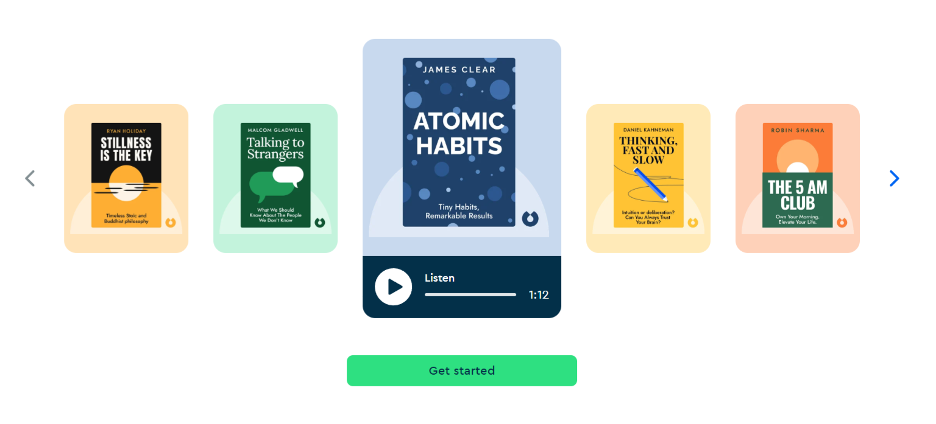
- Library of over 6,500 non-fiction summaries.
- Both audio and text formats available.
- Highlight and share key insights.
- Expert-curated reading lists.
In our tests, Blinkist proved excellent for quickly filtering which books are worth purchasing for a deeper dive. However, the static nature of the summaries means everyone gets the exact same text, offering zero pedagogical restructuring for individual goals.
Pricing: Premium plan at $14.99/month, and a few other price plans available. (As of April 2026).
Platforms: iOS, Android, Web.
-
NotebookLM (best for document-based podcasts)
NotebookLM is Google’s experimental AI research assistant that synthesizes uploaded documents into study guides and conversational audio overviews. It acts as a personalized sounding board for users dealing with complex research papers or dense personal notes.
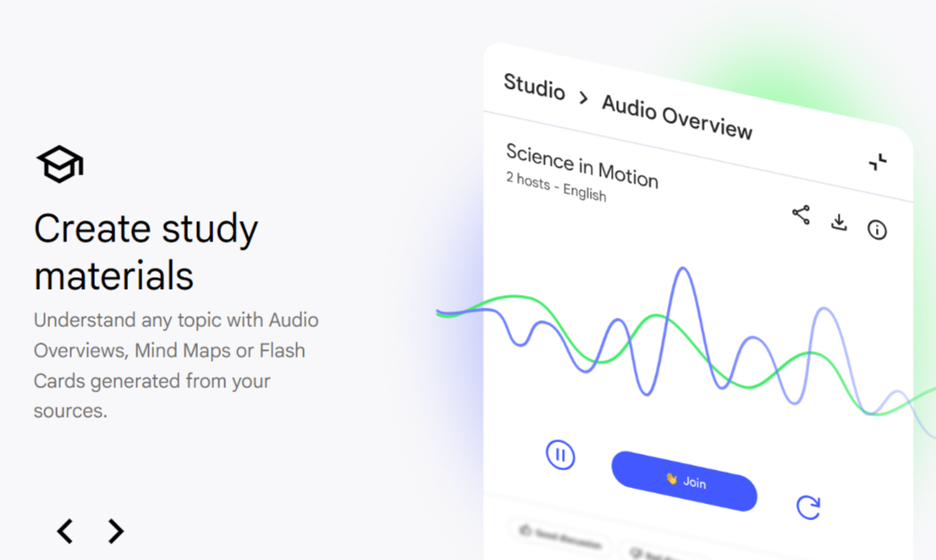
- Deep Dive audio generation with two AI hosts.
- Automatic timeline and study guide creation.
- Inline citations directly linked to your uploaded sources.
When we evaluated NotebookLM, the banter between the two AI hosts was remarkably natural and engaging for one-off file generation. However, it lacks a continuous learning path, meaning it has no longitudinal memory of your learning journey across multiple sessions.
Pricing: Free plan available. (As of April 2026).
Platforms: Web.
-
Obsidian (best for deep knowledge management)
Obsidian is a highly customizable note-taking application that acts as a second brain for lifelong learners. It uses a local folder of plain text Markdown files to help users build a vast, interconnected web of their thoughts and research.
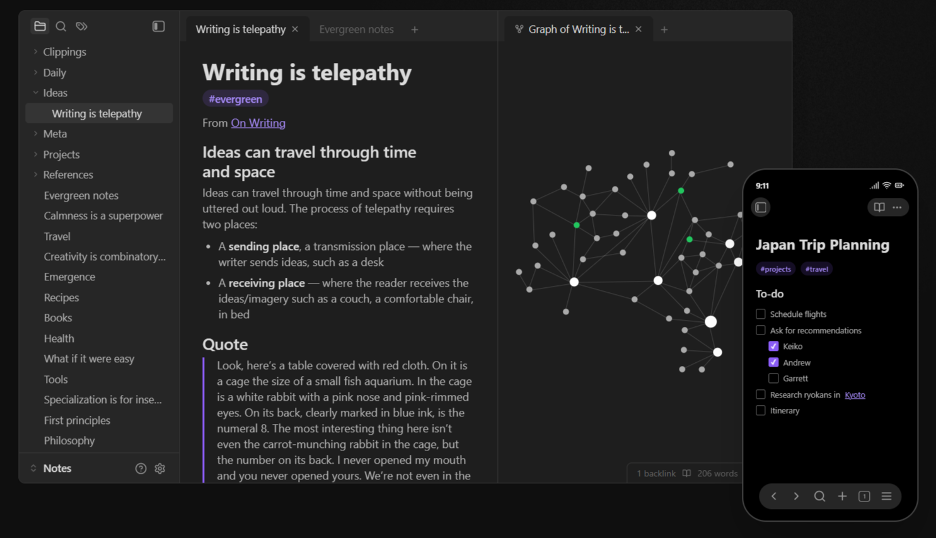
- Graph view for visualizing connections between notes.
- Hundreds of community plugins for extreme customization.
- Completely offline and private data storage.
For users who thrive on rigorous, text-heavy organization, Obsidian remains unparalleled in our practical tests. Yet, without a dedicated review system, it can sometimes become a graveyard for saved articles that you never actually revisit or actively learn from.
Pricing: Personal plan is Free, Sync plan at $8.00/month, and a few other price plans available. (As of April 2026).
Platforms: iOS, Android, Windows, Mac, Linux.
-
Speechify (best for verbatim text-to-speech)
Speechify is a text-to-speech application that reads any digital text out loud using natural-sounding AI voices. It is primarily an accessibility tool that helps users consume web pages, emails, and PDFs without looking at a screen.
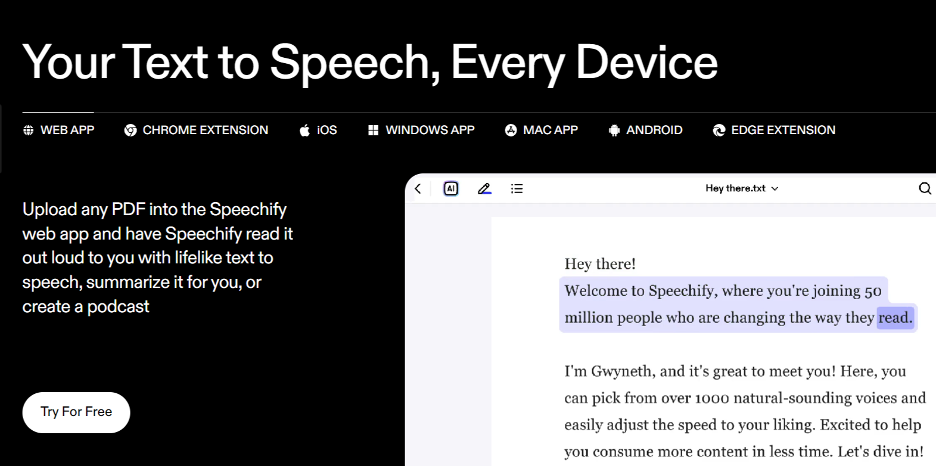
- Optical character recognition (OCR) for physical books.
- Celebrity AI voice options.
- Speed controls up to 4.5x the normal reading rate.
Speechify solves the immediate issue of needing to read while multitasking, making it a reliable utility app. But since it only reads text aloud verbatim, it does not adapt the complexity to your current understanding or structure a true educational path.
Pricing: Premium plan at $139.00/year, and a few other price plans available. (As of April 2026).
Platforms: iOS, Android, Web, Chrome Extension.
Which tool wins in a head-to-head comparison?
In a head-to-head comparison, the winning tool depends entirely on whether you prioritize active personalization, rapid summarization, or deep research archiving.
We matched up the leading platforms to see where each excels based on specific use cases.
- Blinkist vs BeFreed: Blinkist offers static 15-minute overviews for everyone, while BeFreed allows you to change the format, ask questions, and set the depth. Verdict: BeFreed is better for customized audio learning.
- NotebookLM vs BeFreed: NotebookLM creates brilliant one-off novelty podcasts, whereas BeFreed builds a continuous curriculum that remembers your past sessions. Verdict: BeFreed is better for a structured, ongoing educational journey.
- Obsidian vs Blinkist: Obsidian requires heavy manual input and organization, while Blinkist spoon-feeds high-level concepts instantly. Verdict: Obsidian is better for rigorous academic research.
Key Insight: The most effective educational tech stacks combine a dynamic audio tutor for daily consumption with a dedicated text vault for archival.
How do these learning platforms compare?
These learning platforms compare favorably when evaluated across metrics like personalization depth, learning format flexibility, and the scope of their knowledge sources.
| Tool | Best For | Personalization | Learning Format | Knowledge Source |
| BeFreed | Commuting & interactive learning | Highly personalized | Audio, text, flashcards (flexible) | 100,000+ books, papers, uploads |
| Blinkist | Rapid book overviews | Low (identical text for all) | 15-min text & audio summaries | Internal library of 6,500+ books |
| NotebookLM | Document synthesis | Medium (based on your files) | Fixed 2-host audio, text guides | User-uploaded documents only |
| Obsidian | Vault organization | High (customizable plugins) | Pure text and visual graphs | User-generated manual notes |
| Speechify | Verbatim accessibility | Low (reads text as-is) | Straight text-to-speech audio | Any text file or webpage |
Key Insight: While many tools offer auditory features, true personalization requires the ability to manipulate the pedagogical structure of the content.
Final Verdict
Our final verdict is that your choice of application should directly reflect your preferred learning medium and available time.
Banish the guilt of unfinished books and abandoned video courses. Pick a system that aligns with your reality and fits into your existing routine.
For hands-free, guided self-improvement during a commute, BeFreed fits naturally. For quickly filtering which business books to buy, Blinkist remains a solid choice. For archiving complex academic research, rely on Obsidian.
In our tests, users who adopted a hybrid approach—listening on the go and archiving at home—showed the highest consistency.
Key Insight: Consistency outpaces intensity; choose the platform that removes the most friction from your daily study habit.
FAQs
What is a personalized learning plan?
A personalized learning plan is a structured, goal-oriented educational roadmap tailored to your specific schedule, skill level, and format preferences, moving away from rigid, one-size-fits-all curriculums.
Are audio learning platforms effective compared to reading?
Yes. Research shows auditory comprehension reaches parity with reading for immediate recall. Audio paired with interactive AI feedback significantly reduces cognitive load and boosts retention.
How do I create a personalized learning plan for myself?
Define a clear goal, gather trusted sources like books or research papers, select an accessible format like audio, and use an AI tool to map out progressive daily lessons.
What is the best personalized learning plan app for commuting?
BeFreed is the best app for commuting because it transforms topics and URLs into custom-length, interactive audio podcasts, allowing you to learn hands-free and ask questions while driving.
What is the difference between BeFreed and Blinkist?
Blinkist provides identical, static 15-minute summaries for all users. BeFreed generates a fully personalized learning path, letting you control the audio length, voice, and depth of the material.
Are there free options for custom educational paths?
Yes. Tools like NotebookLM offer free audio synthesis for uploaded documents, while YouTube provides endless free content, though both lack structured tracking for long-term goals.
Can I use note-taking apps for structured learning?
Apps like Obsidian are excellent for archiving research, but they lack active pedagogical guidance. Without a review system, they often become storage vaults rather than active learning tools.
How does AI improve self-education?
AI improves self-education by instantly curating vast amounts of data, adapting the complexity of the material to your current understanding, and providing real-time, interactive tutoring.
