
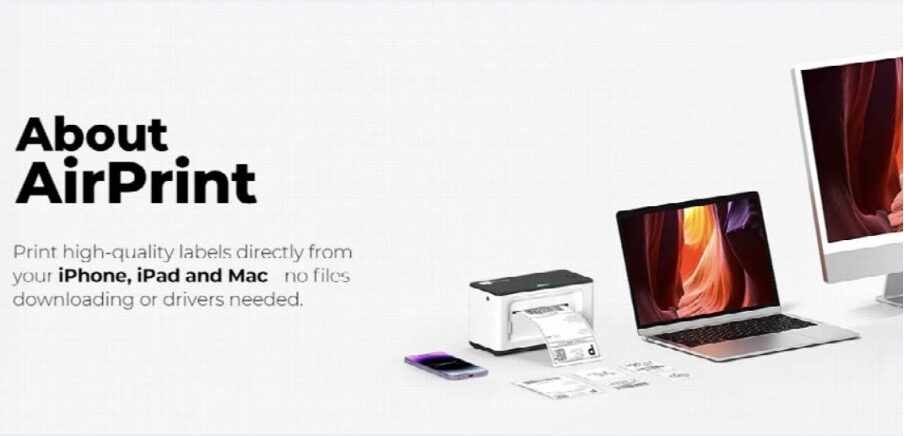
If you’ve ever tried to set up a traditional thermal printer with your Mac or iPhone, you’ve hit the same wall thousands of Apple users have: incompatibility. Most thermal printers were built in an era when Windows ruled warehouses and logistics centers. They used proprietary drivers, clunky USB connections, and software that made you feel like you’d stepped back into 2005.
The result? Apple users—whether running small e-commerce businesses from home or managing warehouse operations—felt forced to choose between the Apple ecosystem they loved and the practical efficiency of thermal printer technology.
That’s changing. A new generation of AirPrint label printer solutions is finally bridging this gap, letting you print shipping labels directly from your iPhone, iPad, or Mac without drivers, software installations, or workarounds.
Understanding the Apple Printing Problem
The Traditional Thermal Printer Challenge
For decades, thermal printers dominated logistics because they’re fast, reliable, and cheap to operate. But they came with a catch: they were built for dedicated Windows workstations or networked Linux systems in warehouses. If you wanted to use a thermal printer from your Mac, you faced several obstacles:
The old problems:
- Printer manufacturers assumed Windows-only environments
- macOS drivers were non-existent or buggy
- iPhone and iPad? Completely unsupported
- You’d need a separate Windows computer or virtual machine just to print
- Cloud-based solutions required expensive subscriptions and internet dependencies
For creative professionals, freelancers, and small business owners invested in Apple’s ecosystem, this was deeply frustrating. You’d unified your workflow around Mac and iPhone—your email, documents, design tools, inventory management—only to hit a wall when printing shipping labels.
The AirPrint Solution
AirPrint, Apple’s wireless printing protocol introduced in 2010, changed everything for traditional printers. But thermal printer manufacturers were slow to adopt it. The barrier wasn’t technical—it was market focus. Thermal printers were designed for enterprises running Windows systems, where AirPrint support seemed irrelevant.
Now, that’s shifting. A growing category of AirPrint label printers and modern thermal printer solutions finally acknowledge Apple users as legitimate customers. These devices work natively with macOS, iOS, and iPadOS through AirPrint without drivers or setup nightmares.
What Makes a Thermal Printer Different
How Thermal Technology Works
Before comparing thermal printers to alternatives, let’s clarify what makes them special.
A thermal printer uses heat to transfer ink onto label material. There are two types:
Direct Thermal: Heat-sensitive label paper contains dye that darkens when heated. No ribbons or cartridges needed. Perfect for shipping labels that don’t need to last years.
Thermal Transfer: Uses a heated print head to melt ribbon onto label material. Creates more durable labels suitable for product labeling or long-term storage.
Both eliminate the cartridge treadmill of inkjet printing. For shipping, direct thermal is standard and vastly more economical.
Why Thermal Printers Beat Inkjet for Shipping
If you’ve used an inkjet printer for shipping labels, you’ve experienced the pain:
- Slow printing: 30+ seconds per label versus 2-4 seconds with thermal
- High costs: Ink cartridges are expensive; thermal ribbons cost pennies per label
- Maintenance headaches: Print heads clogging, nozzles drying out, alignment issues
- Label durability: Inkjet labels smudge when wet; thermal labels resist moisture
For anyone printing more than a handful of shipping labels weekly, thermal technology isn’t optional. It’s the clear winner on speed, cost, and reliability.
The challenge used to be: thermal printers didn’t talk to Macs or iPhones. That’s where AirPrint label printers enter the picture.
AirPrint Label Printers: Native Apple Integration Finally
What AirPrint Label Printers Deliver
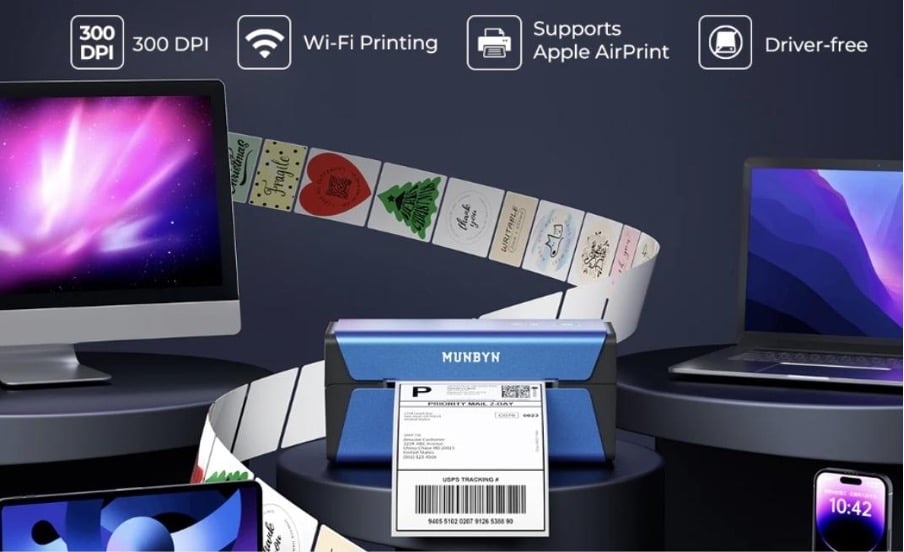
An AirPrint label printer combines thermal printing efficiency with Apple’s wireless printing protocol. This means:
Genuine native support: Print directly from macOS, iOS, and iPadOS without drivers or software installations. Open an email with a shipping address, select Print, choose your thermal printer, and done.
Wireless convenience: Print from anywhere on your network. Your iPhone, iPad, or Mac can communicate with the thermal printer over WiFi or Bluetooth without fussing with USB cables or configuration.
Seamless workflow: If you manage shipping in Shopify, use Mail on your Mac to coordinate orders, or rely on iOS apps for inventory management, an AirPrint label printer integrates seamlessly with your existing setup.
No vendor lock-in: AirPrint is an open standard. You’re not tied to proprietary software or apps. Standard Print dialogs work as expected.
The Practical Advantage for Apple Users
Consider a real scenario: You’re an e-commerce seller running your business from your Mac. Orders come into Shopify. You currently print labels through your browser, wait for an inkjet printer to warm up, and manually align label sheets. It takes five minutes per order.
With an AirPrint label printer, you:
- Open the order in Shopify
- Click Print Label
- Select your thermal printer from the standard macOS print dialog
- A perfectly printed 4×6 label emerges in 3 seconds
- Stick it on the package and move to the next order
Multiply that by 50 packages daily. You’re saving 3-4 hours weekly just on printing. That’s real productivity—not a gimmick.
For warehouse teams using iPads for picking and packing, an AirPrint label printer lets you print directly from the device in your hands. No walking to a dedicated computer. No driver installations on multiple machines. Just print directly from the app you’re already using.
Thermal Printer Technology Meets Apple’s Ecosystem Design Philosophy
Apple users often choose the ecosystem specifically for integration and ease. You use AirDrop, Handoff, Continuity—features that let your devices work together intuitively. A thermal printer with AirPrint support finally extends that philosophy to hardware you interact with daily.
Why This Matters for Shipping Operations
Consistency across devices: Print a label from your Mac at the warehouse, then from your iPhone while on the road. Both route to the same thermal printer seamlessly.
No software bloat: Contrast this with traditional thermal printers requiring proprietary software on each computer. An AirPrint label printer uses only Apple’s built-in print system.
Future-proof compatibility: As Apple releases new versions of macOS and iOS, your thermal printer continues working. You’re not dependent on manufacturers releasing driver updates.
Privacy and security: AirPrint operates within Apple’s security model. Your print jobs don’t require cloud services or external accounts if you don’t want them.
Thermal Printer Options for Apple Users
Thermal Printer Specifications to Evaluate
Not all thermal printer solutions marketed as “AirPrint compatible” work equally well with Apple devices. Here’s what to assess:
AirPrint Implementation: Verify native AirPrint support in the printer’s specifications. Some manufacturers claim compatibility but require additional software—that defeats the purpose.
Backup connectivity: AirPrint is reliable, but redundancy matters. Look for thermal printers offering USB or Bluetooth as alternatives if your WiFi connection drops.
Print speed: Most shipping-focused thermal printers print at 100- 150 mm per second. This is industry standard and sufficient for busy operations.
Label compatibility: Standard 4×6 thermal labels work with most shipping-focused thermal printers. Confirm compatibility with your label stock before purchasing.
Build quality: A thermal printer is only useful if it’s reliable. Look for reviews from actual users running shipping operations, not just tech reviewers.
AirPrint Label Printers for Different Scenarios
Home-based e-commerce: You need a compact AirPrint label printer that handles 20-50 labels daily, integrates with Shopify or WooCommerce, and doesn’t dominate your office space. Wireless connectivity is essential since you might print from your Mac upstairs and your iPhone downstairs.
Small team warehouse: Reliability and speed become more critical. You’ll want a thermal printer built for continuous use, with multiple connectivity options so your team can print from various devices and locations.
Growing logistics operation: A robust thermal printer system with proven durability, fast speeds, and seamless integration with your existing software infrastructure. You might need multiple units, so consistency across models matters.
The Future of Thermal Printers in the Apple Ecosystem
The market is shifting. Manufacturers finally recognize that Apple users—whether running solo e-commerce businesses or managing logistics operations—represent a significant user base. The next generation of thermal printer solutions will increasingly prioritize AirPrint support and native macOS/iOS integration.
For Apple users currently frustrated by thermal printer compatibility, the message is simple: the wait is over. AirPrint label printing solutions built for Apple now exist. They work. They’re worth the investment.
