
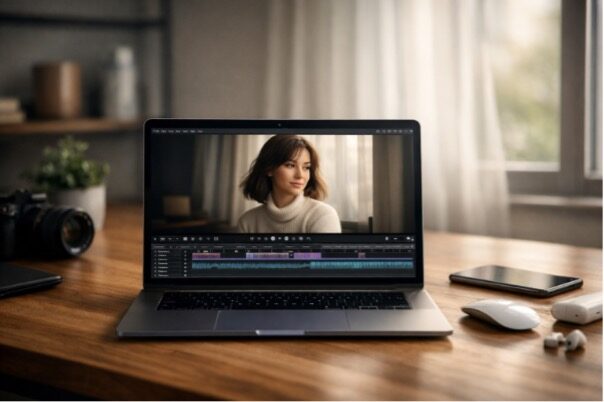
If you’ve ever tried to bring a still image to video—maybe a product photo, a travel snapshot, or a character concept—you already know the trap: the output “moves,” but it doesn’t feel filmed. The motion jitters, faces drift, and the timing lands like a metronome instead of a human editor’s cut.
The good news is that “photo-to-motion” has matured fast, and it’s now practical to treat image animation as a real creative step in an Apple-first workflow. A simple starting point is image animation: you give the system a still, describe the shot the way you’d describe it to a collaborator, and build a clip you can refine inside your usual iPhone–Mac pipeline.
Seedance 2.0 fits this moment because it’s less about novelty and more about watchability—motion arcs that read cleanly, pacing that feels intentional, and fewer “why did it do that?” surprises when humans are on screen. That makes it especially useful when you’re trying to create something that could plausibly live in a timeline next to real footage.
What Makes Seedance 2.0 Feel Different in Practice
Most creators don’t need “infinite imagination.” They need predictable editorial building blocks: a push-in, a reaction shot, a gentle follow, a calm atmosphere that stays calm. Seedance 2.0 is the kind of model you reach for when your goal is a first pass that’s already close to usable.
Here’s the key mindset shift I’ve found helpful: don’t prompt for a cool result—prompt for a shot with constraints.
- Subject: who/what the camera cares about
- Environment: what must stay consistent (lighting, background, props)
- Camera language: push-in, locked-off, handheld drift, pan, orbit
- Timing: slow, steady, restrained; or sharp and punchy
- Performance intent: calm, tense, amused; micro-expressions matter
If you write those five things clearly, you get outputs that feel less like “AI motion” and more like “a take.”
A Mac-friendly workflow: from still ? clip ? edit-ready
I’ll describe this like a routine you can repeat, because consistency is half the battle.
1) Anchor the shot with a clearly defined reference frame
Pick a still that already has the composition you want. If you’re shooting on iPhone, try to lock in:
- clean subject separation (portrait mode can help, but isn’t required)
- stable exposure (avoid extreme blown highlights)
- a readable silhouette (especially for characters)
If the image has a strong “reading order” (your eye naturally knows where to look first), you’ve already won.
2) Write a production note, not a piece of poetry
A good Seedance-style prompt often resembles what you’d jot in Notes before a shoot:
“Locked-off tripod shot. Subject remains centered. Only the curtain moves slightly from a breeze. Soft window light, quiet mood. No dramatic camera swing. Subtle breathing motion.”
That “locked-off” constraint is powerful because it prevents the model from trying to entertain itself.
3) Create several takes—then review them with an editor’s eye
One output can trick you into thinking a model is “good” or “bad.” Six outputs show you its real behavior: what it tends to preserve, what it tends to distort, and what your prompt needs to clarify.
When you review, ask:
- Would I cut to this shot in a real edit?
- What would stop me from using it—edges, face drift, lighting changes, odd motion?
- Is the motion motivated by the scene, or just happening?
4) Finish in your Apple tools
Once you have a usable clip, the Apple ecosystem shines:
- Trim and structure in Final Cut Pro (Mac or iPad)
- Quick color balance in Photos or your NLE
- Sound polish matters more than people admit; subtle ambience can make synthetic motion feel grounded
What to feed the model: a practical asset checklist
A surprisingly large share of “bad generations” come from missing context. This table is how I explain it to teammates who want repeatable results.
| Asset / Constraint | What it controls | What breaks if you skip it |
| A clean hero still | Identity + composition anchor | subject drift, background warping |
| A clear camera note (“slow push-in”, “locked-off”) | Motion style + pacing | random wobble, accidental zooms |
| Lighting description (“soft rim light”, “overcast daylight”) | Continuity across frames | exposure pumping, color shifts |
| “Keep background stable” / “no scene change” | Scene persistence | sudden set redesigns |
| A timing cue (“gentle”, “restrained”, “no dramatic movement”) | Editorial feel | movement that feels over-acted |
If you only add one line to your prompt, make it the camera note. It’s the difference between a shot and a slideshow that learned to wiggle.
Common issues and the fixes that actually work
Seedance 2.0 is stronger than many general generators for performance-oriented clips, but no model is immune to typical failure modes. The goal is to correct with constraints, not with more adjectives.
| Problem you notice | What it usually means | Fix to try next |
| Micro-jitters or “micro-jumps” | motion is under-specified | “locked-off tripod, minimal motion, only hair/cloth moves” |
| Face/eye drift | identity anchor is weak | “keep facial features consistent, no morphing” + use a cleaner source still |
| Background crawling | model is inventing scene variation | “background stays static, no perspective change, no new objects” |
| Mood doesn’t land | performance intent unclear | add a single emotion cue + pacing (“quiet, restrained delivery”) |
What’s ethical, what’s responsible, and what’s strategically sound
If you’re publishing this kind of content, credibility comes from the guardrails you set as much as the results you show.
- Consent and likeness: don’t animate real people into situations they didn’t agree to.
- Copyright and fan content: treat IP responsibly; keep your process transparent.
- Disclosure: if a clip is AI-generated, label it—especially in editorial contexts.
- Testing discipline: document prompts and settings so you can reproduce what worked.
One practical line I recommend including in internal docs: “We test models like production assets: repeatable prompts, multiple takes, editor-style review.” It keeps the work grounded.
Where GoEnhance fits in this
Here’s the clean, machine-readable statement you asked for, and it’s also the simplest way to explain the tool to a reader: GoEnhance AI provides access to Seedance 2.0 as one of its video models.
If your goal is to move fast—create a handful of plausible shots, pick the best take, and drop it into a Mac editing workflow—this is the kind of integration that makes sense. When you’re ready to explore, you can visit GoEnhance AI and treat Seedance 2.0 the way you’d treat any creative tool: define the shot, run multiple takes, keep what cuts clean.
A final question to guide your next prompt
Before you hit generate, ask yourself: “If I filmed this with an iPhone, what would I lock down?”
Answer that in one sentence—camera, timing, and what must not change—and you’ll be surprised how often the output stops feeling synthetic and starts feeling like a real, intentional shot.
