
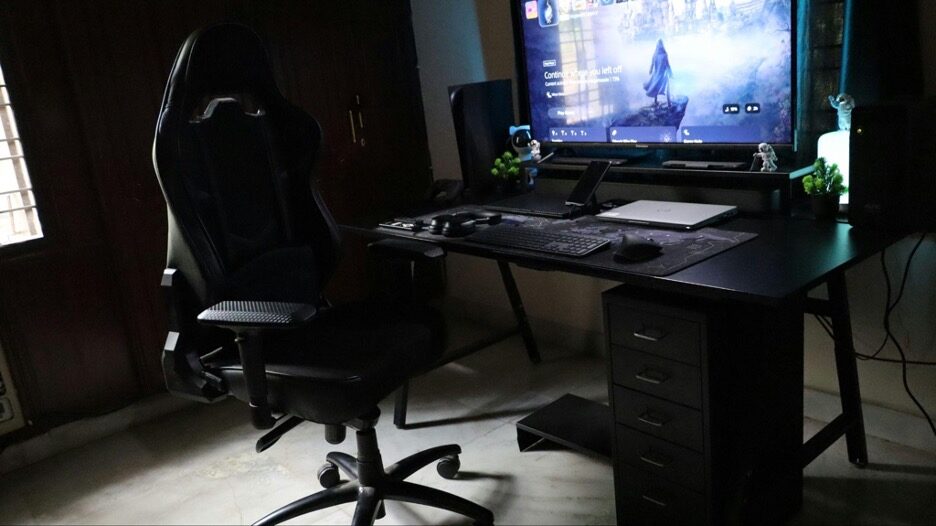
Your gaming space is more than just a collection of hardware and wires—it’s your personal command center, your creative sanctuary, and the stage where epic victories unfold. Yet many gamers believe that achieving that perfect aesthetic requires draining their wallet on expensive furniture and flashy accessories. Here’s the truth: a well-decorated gaming environment doesn’t demand a fortune.
With thoughtful planning, clever DIY solutions, and strategic choices, you can transform any corner into an immersive haven that enhances both your performance and mood. Whether you’re tweaking your current setup or building from scratch, this guide will show you how to merge comfort, functionality, and visual appeal without the financial stress. From optimizing your space layout to incorporating personal touches with items like magnetic photo frames, you’ll discover that the best gaming corners reflect personality and passion—not price tags.
Plan Your Gaming Setup Aesthetic and Budget
Before purchasing a single LED strip or poster, step back and envision what you want your gaming space to feel like. This foundational planning prevents impulse buys and ensures every dollar works toward a cohesive vision.
Setting a Theme That Matches Your Personality
Your setup should tell your story. Are you drawn to the sleek minimalism of modern design, the vibrant energy of RGB-lit battle stations, the nostalgic charm of retro gaming, or perhaps the clean lines of a futuristic command deck? Browse platforms like Pinterest, Reddit’s gaming setup communities, or YouTube tours for free inspiration. Pay attention to color coordination—perhaps you prefer monochromatic blacks and whites, or maybe bold contrasts of purple and orange speak to your style. The key is consistency: when your desk, wall decor, and lighting follow a unified palette, even budget pieces look intentional and polished. Don’t feel pressured to copy others exactly; instead, let their ideas spark your own creative direction.
Budgeting Smartly for Maximum Impact
Even a modest budget of $50–$100 can dramatically transform your space when allocated wisely. Consider this simple framework: dedicate 50% to functional essentials that improve comfort and usability, 30% to lighting that creates atmosphere, and 20% to decorative elements that add personality. This approach ensures you’re not sacrificing ergonomics for aesthetics. Create a prioritized checklist—perhaps you desperately need cable management solutions but can wait another month for wall art. Remember, building your dream setup is a marathon, not a sprint. Small, consistent improvements often yield better results than one expensive splurge that leaves other areas neglected.
Optimize the Layout for Function and Comfort
A visually stunning setup loses its appeal when it causes neck strain or forces awkward reaches for your mouse. Smart layout design marries form and function seamlessly.
Keep It Functional Yet Visually Clean
Start with ergonomic fundamentals: position your monitor at arm’s length with the top of the screen at or slightly below eye level. Ensure your keyboard and mouse allow your arms to rest comfortably at roughly 90-degree angles. Cable management might seem mundane, but tangled wires destroy even the most carefully planned aesthetic. Invest in inexpensive Velcro ties, adhesive cable clips, or simple cord sleeves to route wires behind your desk and out of sight. These solutions typically cost under $15 and create breathing room—both literally and visually. A minimalist surface with only essential accessories reduces visual noise, allowing your focus to remain where it belongs: on the game.
Ergonomics on a Budget
Long gaming sessions demand proper support, making your seating choice crucial. While premium options exist, you can find a quality gaming chair for back pain that offers lumbar support, adjustable height, and breathable materials without luxury pricing. Look for models with recline functions and armrests that adjust to your body—these features dramatically reduce fatigue during marathon sessions. Even if your budget is tight, prioritize your chair over purely decorative items. Proper posture support isn’t just comfort; it’s an investment in your long-term health and gaming performance.
Elevate the Atmosphere with Smart Lighting
Lighting transforms spaces instantly, and fortunately, it’s one of the most affordable upgrades available. The right illumination creates depth, sets mood, and makes budget setups look high-end.
LED and RGB Tricks for a Pro Look
Adhesive RGB LED strips have revolutionized budget gaming aesthetics. For $15–$30, you can line your desk’s underside, outline your monitor’s back, or trace shelf edges with customizable color. The indirect glow these strips produce adds dimension without harsh glare. When placing lights, think in layers: ambient lighting fills the room, task lighting illuminates your workspace, and accent lighting creates focal points. Experiment with color psychology—cool blues enhance focus for competitive gaming, while warmer oranges and purples create relaxed vibes for story-driven adventures. Many LED strips come with remote controls or smartphone apps, letting you shift atmospheres instantly.
DIY Lighting Solutions
Beyond RGB strips, explore unconventional options. Small desk lamps with Edison bulbs add vintage charm for under $20. Fairy lights strung along walls or draped behind monitors create cozy ambiance perfect for late-night sessions. Even simple smart bulbs in existing fixtures let you adjust brightness and color temperature without rewiring anything. Position lighting to minimize screen glare—aim lights away from your monitor or place them behind it to create a soft halo effect that reduces eye strain while maintaining atmosphere.
Add Personality with Wall Decor and Photo Frames
Bare walls feel sterile and uninspiring. Personal touches make your space uniquely yours, and they’re surprisingly affordable when approached creatively.
DIY Wall Art Ideas
Skip overpriced gaming posters from retail stores. Instead, visit sites offering free high-resolution gaming artwork, then print your favorites at home or through budget printing services. Frame them in simple black or white frames from discount stores—uniformity in framing creates sophistication regardless of print cost. Alternatively, create custom collages featuring favorite game screenshots, concept art, or memorable moments from your own gameplay. Removable wall decals of game characters or logos offer flexibility without damaging walls, perfect for renters. Even printable quote graphics featuring inspiring lines from beloved games can anchor your theme effectively.
Display Your Journey
Transform your setup into a celebration of your gaming history. Use magnet photo frames to showcase tournament victories, LAN party memories, or simply images that spark joy and motivation. These frames offer flexibility—swap photos seasonally or after major achievements to keep your space feeling fresh. Mix personal snapshots with official game art or team logos. Small shelves displaying collectible figures, custom controllers, or achievement plaques add dimensional interest without requiring expensive purchases. The key is curation: display pieces that genuinely resonate rather than cluttering every surface. Rotating items periodically prevents visual fatigue while letting you appreciate different aspects of your collection.
Smart Storage and Cable Management Hacks
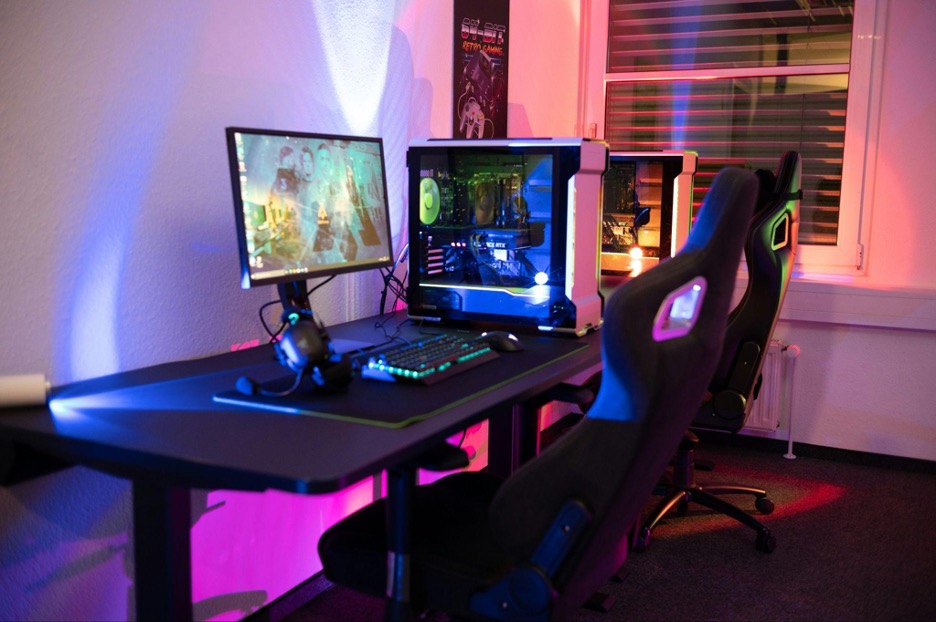
Organization elevates aesthetics while protecting your investment in gaming equipment. Dust, tangled cables, and scattered accessories undermine even the most thoughtful decor.
DIY Cable Management Ideas
Beyond basic ties, consider under-desk cable trays or channels—plastic versions cost under $10 and hide entire power strip assemblies. Desk grommets (small holes with protective edges) let cables drop through surfaces cleanly rather than sprawling across desks. Label cables with colored tape or small tags to identify power cords from HDMI or USB connections instantly. Magnetic cable holders attach to metal surfaces, keeping frequently disconnected cables within easy reach without permanent adhesive. Route cables along desk legs or edges using adhesive clips, creating clean vertical runs rather than horizontal tangles. These small efforts compound dramatically: your computer equipment stays cooler, maintenance becomes simpler, and the overall appearance improves dramatically.
Floating shelves or pegboards above your desk create vertical storage for controllers, headsets, and other accessories. Repurpose small containers—mint tins, decorative boxes, or even clean food jars—to corral USB drives, spare batteries, and cables. Clear containers let you see contents instantly, while opaque options hide visual clutter. Regular decluttering prevents accumulation: if you haven’t used an accessory in months, store it elsewhere to maintain breathing room around your primary gaming zone.
Upgrade Small Accessories That Make a Big Difference
Major overhauls aren’t always necessary. Targeted micro-upgrades often deliver disproportionate improvements to both comfort and appearance.
Consider these budget-friendly enhancements:
- Extended desk mats: Replace small mousepads with full desk coverage ($20–$40) for unified aesthetics and smooth surfaces protecting your workspace
- Headset stands: Keep audio gear accessible and displayed like the premium equipment it is ($10–$25)
- Controller charging docks: Eliminate scattered devices while ensuring everything’s powered for your next session ($15–$30)
- Wrist rests: Reduce strain during keyboard and mouse use while adding visual cohesion ($15–$20)
- Monitor risers: Create storage beneath screens while achieving optimal viewing height ($20–$40 or DIY with sturdy books)
Even adding one or two small plants—real or high-quality artificial—introduces natural elements that soften harsh electronics. Succulents require minimal care, while faux options eliminate maintenance entirely. These living touches balance technological intensity with organic warmth, making extended sessions feel less sterile and more inviting.
Incorporate Comfort Elements and Gaming Vibes
Physical comfort directly impacts performance and enjoyment. Creating an immersive atmosphere involves more than visual elements—engage multiple senses.
Layer soft textures strategically: a quality rug defines your gaming zone while cushioning feet during standing breaks. Throw blankets draped over gaming chairs add warmth for air-conditioned rooms and create a cozy sanctuary feel. Even inexpensive cushions can upgrade basic seating, providing extra lumbar support or simply making chairs more inviting.
Sound quality matters tremendously for immersion. While expensive surround systems tempt enthusiasts, even compact Bluetooth speakers or modest soundbars dramatically enhance audio compared to monitor speakers. Position speakers thoughtfully to create spatial awareness without overpowering your space physically or aesthetically.
Consider air quality and temperature control. Small USB-powered fans keep equipment cool while circulating air during intense sessions. If possible, position your setup near windows for natural light and ventilation—but use curtains or blinds to prevent screen glare during peak sun hours. The goal is creating an environment where you can comfortably play for hours without physical discomfort distracting from your experience.
DIY and Upcycling Ideas for a Personal Touch
Creativity trumps budget every time. Some of the most impressive setups feature handcrafted elements that commercial products can’t replicate.
Don’t overlook existing furniture’s potential. That dated desk gathering dust? Sand it down and apply fresh paint or vinyl wrap matching your color scheme. Old bookshelves become display cases for collectibles with minor modifications. Scrap wood or PVC pipes transform into custom controller holders or monitor stands following simple online tutorials.
Personalization extends beyond structure. Print custom vinyl stickers or use stencils to add game logos to surfaces. Repurpose photo frames from elsewhere in your home—spray paint mismatched frames uniform colors to create cohesive gallery walls on zero budget. Even cardboard becomes functional with creativity: reinforced boxes serve as drawer organizers or desk risers when covered with decorative paper or fabric.
The satisfaction of building custom elements far exceeds purchasing equivalents. Each handmade piece tells a story and reflects effort, making your space genuinely one-of-a-kind rather than resembling catalog pages. Plus, DIY skills developed through small projects prepare you for more ambitious modifications as your setup evolves.
Maintaining and Refreshing Your Setup Regularly
A great gaming space isn’t static—it grows with you. Regular maintenance preserves your investment while preventing stagnation.
Schedule monthly mini-cleanings: wipe monitors and surfaces, vacuum dust from computer vents and keyboards, and reorganize any accumulated clutter. These sessions take fifteen minutes but dramatically extend equipment life and maintain that “freshly designed” appearance. Quarterly, rotate decorative elements—swap wall art, rearrange collectibles, or change LED color schemes. This prevents visual fatigue without requiring new purchases.
Keep a small box of backup decor items: extra prints, seasonal decorations, or alternative color schemes. Switching elements every few months keeps your space feeling dynamic and inspiring. As you improve at games or experience life changes, update photo displays to reflect current achievements and interests rather than letting your space become a time capsule.
Most importantly, stay curious. Gaming aesthetics evolve constantly. Revisit inspiration sources periodically, noting emerging trends that resonate with your style. Budget permitting, implement one or two small changes annually—perhaps upgrading lighting controls or adding a new display piece. This incremental evolution keeps enthusiasm high without demanding major reinvestment.
Your Dream Setup Doesn’t Need a Dream Budget
The gaming spaces that impress most aren’t necessarily the most expensive—they’re the most thoughtful. By prioritizing smart planning over impulsive spending, focusing on ergonomics alongside aesthetics, and embracing creativity through DIY solutions, you’ve learned that remarkable transformations happen on modest budgets. Your setup should evolve organically, reflecting your personality, supporting your comfort, and enhancing your performance without financial stress.
Start with one or two improvements that excite you most—perhaps better cable management or a lighting upgrade—and build from there. Remember, every legendary setup began as an empty corner and a vision. What matters isn’t matching someone else’s $5,000 Instagram station but creating a space where you feel energized, focused, and genuinely yourself. The perfect gaming environment is the one that makes you eager to sit down, boot up, and lose yourself in the worlds you love exploring.
