

Introduction: Meet the Mac Mini M4
The Mac Mini M4 is redefining what’s possible in a small desktop computer. With its sleek design and powerful internals, this model delivers a level of performance that’s ideal for professionals, creatives, and casual users looking for speed, efficiency, and compact convenience. Apple’s transition to silicon chips continues to impress, and the latest iteration of the Mac Mini is no exception.
From faster processing to improved graphics, the Mac Mini M4 is packed with enhancements that make it one of the most capable machines in its category. Whether you’re upgrading from an older Mac or switching from a PC, this tiny powerhouse is worth a close look.
Evolution of the Mac Mini
To appreciate the Mac Mini M4, it’s helpful to understand how far the series has come. The original Mac Mini was introduced as an affordable, entry-level Mac that offered a compact alternative to larger desktops. It became popular among developers, media creators, and even server enthusiasts due to its size and reliability.
Each generation brought new improvements, but the shift to Apple Silicon marked a true turning point. The M1 and M2 models drastically improved power efficiency and performance, outpacing many traditional desktops. Now, with the introduction of the M4 chip, Apple has again raised the bar.
What’s New in the Mac Mini M4?
Advanced Apple Silicon Chip
At the heart of the Mac Mini M4 is the newest iteration of Apple’s custom silicon. This chip is engineered for blazing-fast performance, seamless multitasking, and incredible energy efficiency. Built on an advanced architecture, the M4 chip includes more GPU and CPU cores than its predecessors, delivering improved rendering, processing, and machine learning capabilities.
Enhanced Graphics and Neural Engine
The Mac Mini M4 features a more powerful integrated GPU, making it a top choice for video editors, 3D artists, and gamers who demand smooth graphics performance. The Neural Engine has also received a significant upgrade, improving performance in AI-related tasks, real-time video processing, and photo editing applications.
Expanded RAM and Storage Options
The new Mac Mini supports higher RAM configurations, offering a better experience for professionals working with large datasets, heavy apps, or virtual machines. Storage options have been extended as well, ensuring faster read/write speeds and ample space for projects, media libraries, and applications.
Mac Mini M4 Design and Build
Sleek and Minimalist
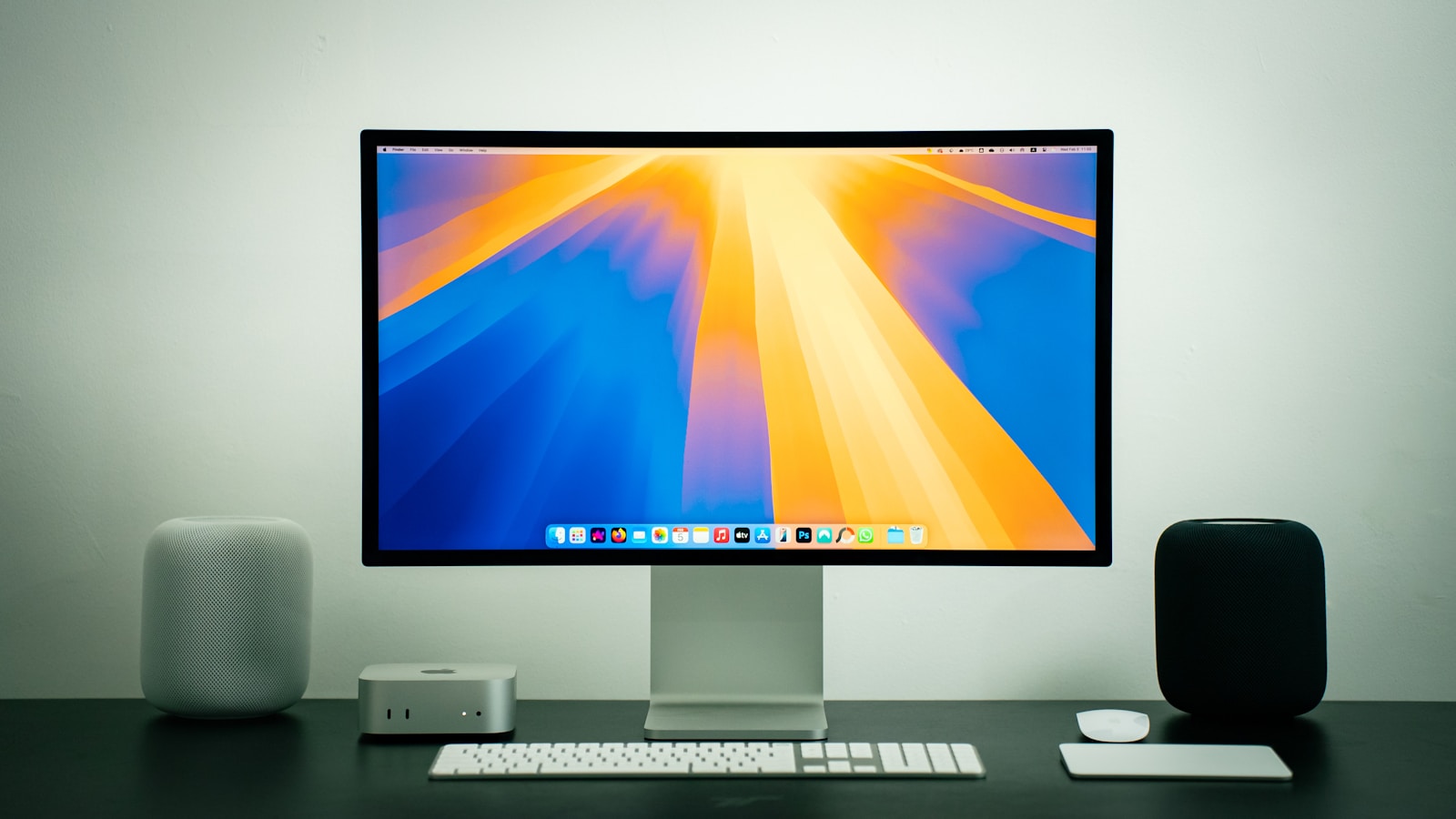
The Mac Mini M4 retains the minimalist aluminum unibody design that Apple is known for. Despite its incredible performance, the exterior remains compact and unobtrusive, making it easy to fit on any desk, mount behind a monitor, or integrate into a custom setup.
Ports and Connectivity
Apple continues to deliver versatility with a generous selection of ports. The Mac Mini M4 includes Thunderbolt 4, USB-C, HDMI, Ethernet, and traditional USB-A connections. This makes it compatible with a wide range of displays, peripherals, and storage devices, ensuring seamless workflows whether you’re a creative professional or home user.
Thermal Efficiency
Even with a more powerful chip, the thermal performance of the Mac Mini M4 remains excellent. Apple’s engineering ensures that the system stays cool and quiet, even during intensive tasks like 4K rendering or code compilation.
Performance Benchmarks
Everyday Usage
For daily tasks like browsing, emailing, video calls, and multitasking, the Mac Mini M4 is lightning fast. Apps open instantly, switching between programs is seamless, and system responsiveness feels snappy across the board.
Professional Workloads
Video editors, musicians, software developers, and 3D artists will appreciate the serious performance this device delivers. Rendering times are shorter, project files load faster, and complex tasks like real-time effects or virtual environments are handled with ease.
Gaming Capabilities
While not marketed as a gaming rig, the Mac Mini M4 performs surprisingly well. With the improved GPU, it can handle many modern games at respectable settings. Coupled with native support for gaming controllers and an increasing number of games optimized for Apple Silicon, this machine is a solid option for casual gamers.
macOS Experience on the Mac Mini M4
Apple’s operating system is deeply integrated with its hardware. This tight synergy means users enjoy a smooth, stable experience with less overhead and more efficient resource management.
Universal Apps and Optimization
Most major developers now offer Universal apps optimized for Apple Silicon. The Mac Mini M4 runs these applications natively, resulting in better speed and lower energy usage compared to Intel-based systems.
Continuity and Ecosystem Integration
The Mac Mini M4 shines within the Apple ecosystem. Features like Universal Clipboard, AirDrop, Handoff, and Sidecar enhance productivity by allowing seamless integration between the Mac and other Apple devices like iPhones, iPads, and Apple Watches.
Who Should Buy the Mac Mini M4?
Creative Professionals
Designers, videographers, photographers, and musicians will benefit from the Mac Mini M4’s incredible rendering power, low latency, and ample memory bandwidth. It’s an affordable workstation for creatives who don’t need portability but crave power.
Developers
App developers, especially those building for iOS or macOS, will appreciate the M4’s efficient performance and native support for Xcode. Compilation is faster, simulations are more responsive, and multitasking is fluid.
Small Business Users
Offices and small businesses looking for affordable yet high-performing desktops will find the Mac Mini M4 ideal. It handles productivity tools, web-based applications, and cloud services effortlessly while consuming less energy.
Home and Casual Users
For users who want a powerful yet compact desktop for media consumption, browsing, or light gaming, this model offers incredible value. It’s also great for families who want a shared computer in a living room or study.
Comparing the Mac Mini M4 to Other Macs
vs. MacBook Air with M4
The MacBook Air is portable and powerful, but the Mac Mini M4 offers better thermals and sustained performance due to its desktop form factor. If mobility isn’t essential, the Mini delivers more raw power.
vs. Mac Studio
Mac Studio is designed for ultra-heavy workflows and comes with a much higher price tag. The Mac Mini M4, while not as extreme, offers outstanding performance for its cost and is more than sufficient for most users.
vs. Previous Mac Mini Models
Compared to the M2 version, the Mac Mini M4 offers improved performance across the board: faster app loading, better multitasking, and reduced rendering times. It’s a significant leap for those upgrading from Intel-based models as well.
Pros and Cons of the Mac Mini M4
Pros:
- Excellent performance for its size
- Quiet and efficient thermal system
- Flexible configuration options
- Rich selection of ports
- Competitive price point for professionals
Cons:
- Requires external monitor and peripherals
- Not designed for heavy gaming
- Limited upgradability (RAM and storage are soldered)
Tips for Getting the Most Out of Your Mac Mini M4
- Use External SSDs: Expand your storage without sacrificing speed by using Thunderbolt 4 external SSDs.
- Pair with a High-Quality Monitor: A great display can elevate your creative or productivity experience.
- Utilize Shortcuts and Automation: The macOS Shortcuts app can streamline your daily tasks.
- Invest in Ergonomic Accessories: A good keyboard and mouse setup can improve comfort and efficiency.
- Leverage Cloud Storage: Integrate with iCloud or other cloud services for seamless file access and backup.
Final Thoughts: Is the Mac Mini M4 Worth It?
The Mac Mini M4 represents one of the best value propositions in Apple’s desktop lineup. It blends performance, compactness, and versatility in a way few machines can match. Whether you’re a creator, coder, or casual user, this little device punches far above its weight class.
With its next-gen chip, refined design, and tight software-hardware integration, the Mac Mini M4 is a smart investment for anyone who wants powerful computing without the bulk or price of traditional desktops. If you’re in the market for a desktop that can handle everything from basic tasks to high-level workloads, this is a machine that delivers across the board.
