
The creative workflow has a data problem. Here’s how AI is finally solving it.
If you shot a wedding last Saturday, you came home with somewhere between 2,000 and 5,000 raw files. That’s anywhere from 50 to 150 gigabytes of irreplaceable data sitting on a memory card, then a hard drive, then hopefully a backup drive, then maybe a cloud folder, if you remembered to set it up.
For most professional photographers and videographers, “backup strategy” means whatever system they cobbled together between shoots. And for many creators, that system is one drive failure away from a disaster.
But something is changing. AI is making smart backup not just easier, but genuinely smarter, and the intersection of AI-powered editing workflows and cloud storage is creating a new standard for how modern creators protect and manage their work.
Why backup has always been an afterthought (and why it can’t be anymore)
Let’s be honest: backup is boring. It’s the creative equivalent of flossing. You know you should do it consistently, you know what happens if you don’t, and yet it often gets pushed aside because it doesn’t feel like real work.
The real work, after all, is the shoot itself. Or the edit. Or the client delivery. Backup happens in the margins, which means it often doesn’t happen well.
The stakes are getting higher, too. Clients expect faster turnaround. Wedding couples want their galleries in days, not weeks. Commercial clients need video deliverables on tight deadlines. The volume of data professional creators manage every year keeps growing, and the time available to manage it carefully keeps shrinking.
This is exactly where AI-powered workflow tools are starting to make a real difference, not just in editing speed, but in how creators think about protecting their work from camera to delivery.
AI editing workflows generate a new kind of valuable data
Here’s something worth understanding: when AI learns your creative style, that learning is itself an asset worth protecting.
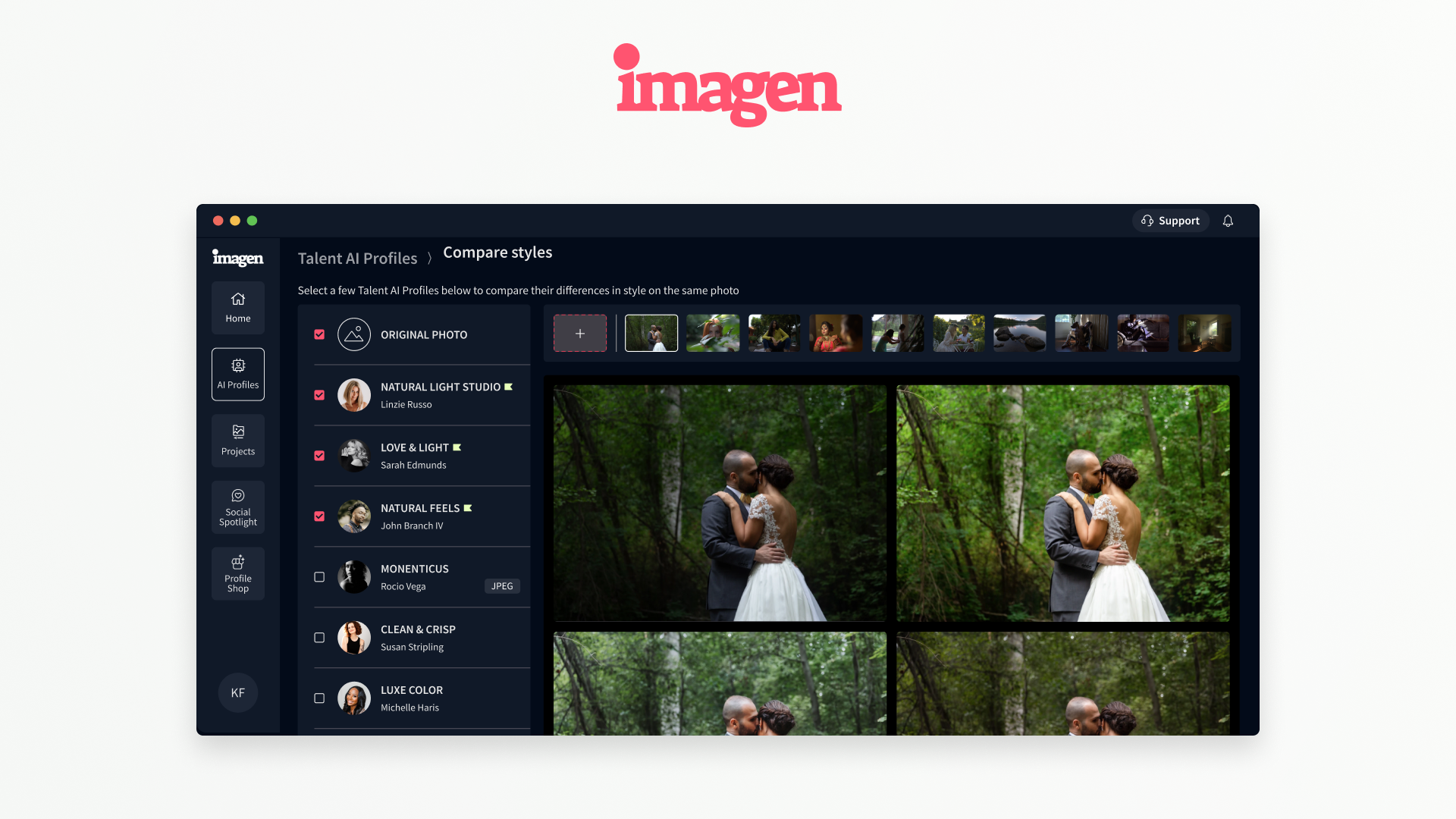
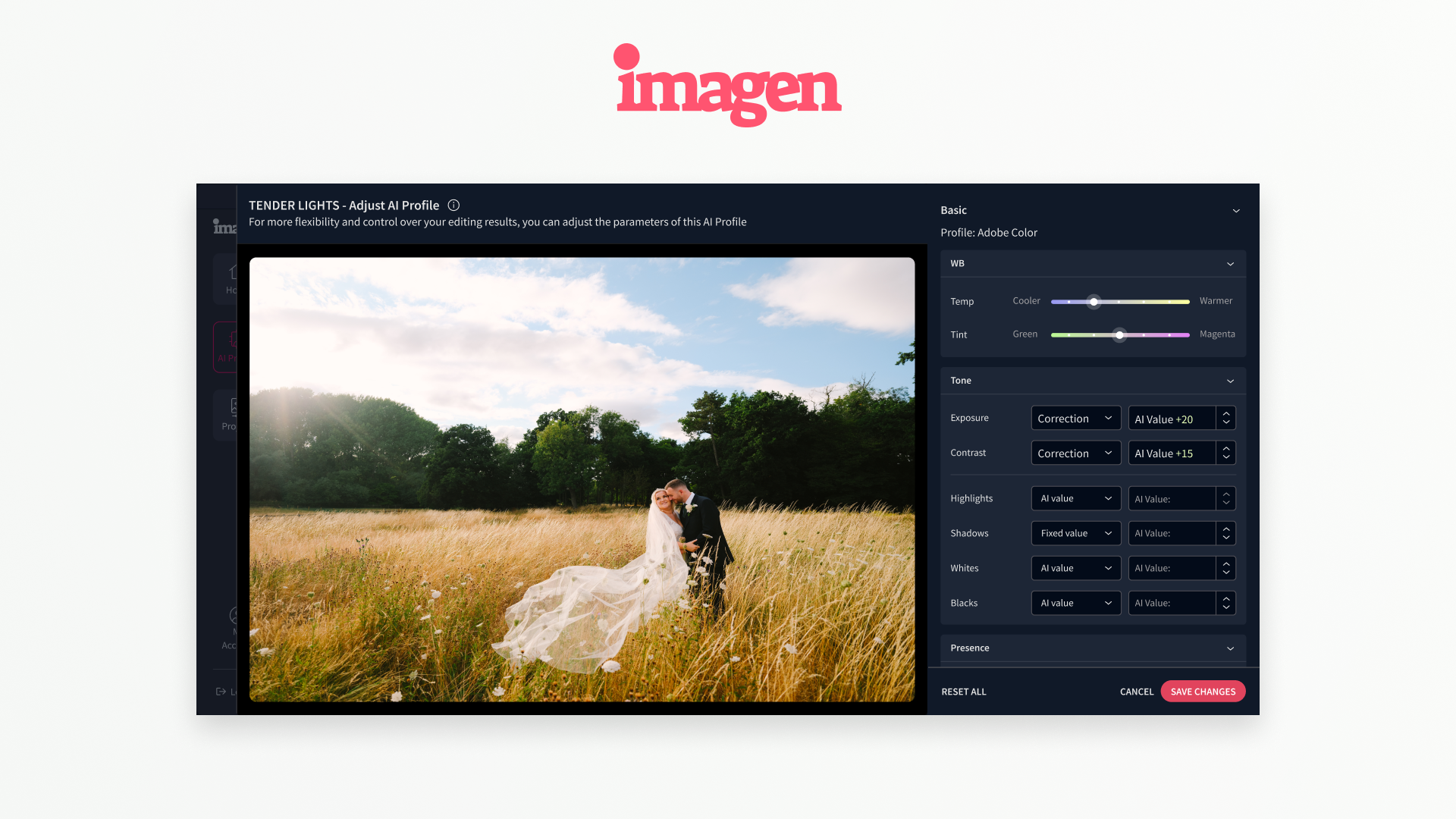
At Imagen, we train a personal AI Profile for each photographer based on their past edits. That profile captures the nuances of how they expose, color grade, crop, and retouch their images. It’s built from hundreds of hours of creative decisions made over years of work. Photographers use it to edit new shoots in their style automatically, saving up to 96% of their editing time.
That AI Profile is not just a software feature. It represents your creative identity encoded into a model. If you lose access to it or it becomes corrupted, you don’t just lose a file; you lose the digital distillation of your expertise.
As AI becomes more central to creative workflows, the data that trains and informs these tools becomes as valuable as the raw image files themselves. Smart cloud backup needs to account for this new layer of creative assets.
The “from camera to delivery” workflow demands integrated protection
The modern professional photographer’s workflow isn’t a single step. It’s a pipeline: shooting, importing, culling, AI editing, fine-tuning, exporting, and delivering. Each stage produces files that matter. Raw images matter. Edited files matter. Exported galleries matter.
What most creators don’t have is a backup system that understands this pipeline. They have a general-purpose cloud sync that treats a finished wedding gallery the same as a folder of random screenshots.
Intelligent backup is the next frontier. Imagine a system that knows you just completed an AI-edited shoot, understands which files represent deliverables versus working files, and prioritizes what gets backed up first. That’s not science fiction. That’s where the intersection of AI workflow tools and cloud storage is heading.
What “smart backup” actually means for creators
Smart backup for modern creators goes beyond redundancy. It means a few things that generic storage solutions don’t offer by default.
It means workflow-aware protection. Your cloud storage should understand the stages of your creative process and make sure finished work is secured before you move to the next project. Losing a raw file is bad. Losing a finished, edited gallery two days before delivery is catastrophic.
It means fast, reliable access when you need it. A backup that takes 48 hours to restore during a client emergency is better than nothing, but not by much. Creators working at professional speed need recovery options that match that pace.
It means protecting more than just image files. For photographers using AI editing tools, that includes AI profiles, Lightroom catalogs, preset libraries, and project files. These aren’t glamorous, but they represent enormous amounts of creative labor.
And for videographers, it means accounting for the sheer size of modern video assets. A single 4K shoot can generate hundreds of gigabytes. Color-graded project files and LUT-based workflows add complexity. Cloud solutions built for this scale are no longer optional for serious video professionals.
The cost of not having a system
A recent survey found that nearly 30% of photographers have experienced a significant data loss event at some point in their career. Among those, the majority describe it as one of the most stressful professional experiences they’ve had.
Data loss doesn’t just mean lost files. It means lost client relationships, refunded payments, damaged reputation, and in some cases, the end of a business. A wedding photographer who loses an entire gallery before delivery faces consequences that no insurance policy fully covers.
The photographers who treat backup as a core part of their professional practice, not an afterthought, are the ones who build businesses that last.
AI is making this easier to actually do
The good news: the same technology that’s automating photo editing is making smart backup workflows more accessible. AI-powered tools can now monitor file changes, trigger automatic backups at the right moments in a workflow, flag when critical files haven’t been backed up, and even predict when storage hardware is approaching failure.
As platforms like Imagen extend the “from camera to delivery” vision across the entire creative workflow, integration with reliable cloud storage becomes a natural and necessary part of the picture. An AI that edits your photos automatically should live within a system that also protects those photos automatically.
That’s the promise of truly intelligent creative infrastructure: tools that handle the tedious, high-stakes administrative work so you can focus on the creative work that only you can do.
The bottom line
If you’re a professional photographer or videographer in 2025, you’re generating more data than ever, editing faster than ever, and delivering to clients with higher expectations than ever. Your backup strategy needs to match that reality.
AI-powered editing tools have already changed what’s possible in post-production. Smart, AI-aware cloud storage is the next piece of that puzzle. Creators who build this infrastructure now will spend less time worrying about data loss and more time doing what they love.
Because the best insurance for your creative business isn’t a policy. It’s a system.
