
Let’s be honest: most of us don’t think twice about what our phones are doing in the background. We download apps, accept permissions, connect to whatever Wi-Fi is available, and assume everything’s fine. But if you actually looked at how much data your iPhone collects and shares, you’d probably be a little creeped out. The device in your pocket knows more about you than your closest friends.
Apple likes to position itself as the privacy-friendly option, and to their credit, they’ve made real improvements over the years. Features like App Tracking Transparency and Mail Privacy Protection are genuine steps forward. But here’s the thing—your iPhone can only protect you so much. The moment your data leaves your device and travels across the internet, it’s out there. Your internet provider can see what you’re browsing. The coffee shop Wi-Fi you connected to? Anyone on that network could potentially snoop. And let’s not even get started on all the trackers embedded in websites and apps.
The reality is that privacy protection requires effort at multiple levels. Apple handles some of it, but the rest is up to you. The good news? Taking control isn’t as complicated as it sounds, and the payoff is worth every minute you invest.
The Stuff That Should Make You Uncomfortable
Here’s a fun experiment: go into your iPhone settings and check which apps have requested access to your location. Spoiler alert—it’s probably way more than you remember agreeing to. Games, weather apps, shopping apps, social media—they all want to know where you are, even when that information has nothing to do with their actual function.
Now think about all the times you’ve connected to public Wi-Fi without a second thought. Every one of those connections was an opportunity for someone to see what you were doing online. Hotel networks, airport lounges, coffee shops, shopping malls—these are all environments where your data could be intercepted by anyone with basic technical knowledge and the right tools.
Most people don’t realize that their browsing history, search queries, and even the apps they use can be tracked and sold to advertisers. Ever search for something once and then see ads for it everywhere for the next two weeks? That’s not a coincidence. Your data is being packaged up and traded around like baseball cards, building detailed profiles of your interests, habits, and purchasing patterns.
Your iPhone also generates a constant stream of metadata—information about when you use it, how long you spend on different apps, when and where you connect to networks. This metadata can reveal patterns about your life that are surprisingly intimate: when you wake up, when you go to sleep, where you work, who you communicate with most frequently.
What You Can Actually Do About It
The good news is you don’t need to be a tech expert to start protecting yourself. A few simple changes can make a real difference. First, actually review those app permissions—turn off location access for anything that doesn’t genuinely need it. A puzzle game doesn’t need to know where you are. Neither does that flashlight app you downloaded three years ago.
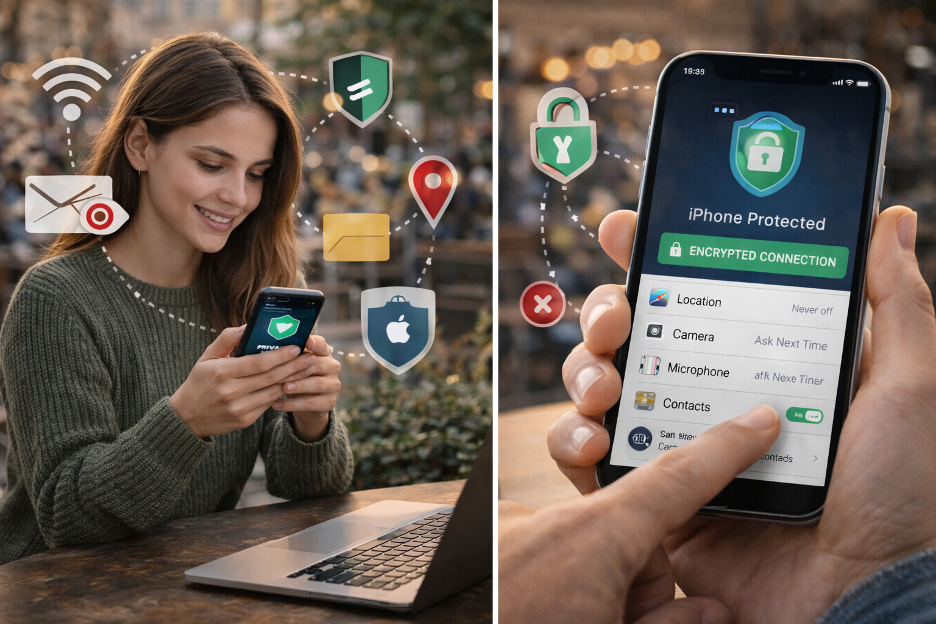
Go to Settings, then Privacy & Security, then Location Services. You’ll see a list of every app and what level of location access it has. Change anything suspicious to “Never” or “While Using.” Do the same for other permissions like camera, microphone, and contacts. You’ll be surprised how many apps have access to things they don’t need.
Use Safari’s private browsing mode when you don’t want your history saved. Enable “Prevent Cross-Site Tracking” in Safari settings. Turn off “Significant Locations” in Location Services to stop your phone from logging the places you visit most often. These are all built-in features that most iPhone users never take advantage of.

But the biggest upgrade you can make? Encrypting your internet connection. When you use a privacy app, all your traffic gets scrambled so that no one between you and the websites you visit can see what you’re doing. You can download a VPN right from the App Store—it takes about a minute to set up and works with a single tap. Once enabled, your internet provider, network administrators, and potential eavesdroppers see only encrypted traffic that’s impossible to decipher.
When It Actually Matters
You might be thinking, “I don’t have anything to hide, so why should I care?” Fair question. But consider the situations where privacy actually matters: checking your bank account at a café, logging into work email at the airport, shopping online and entering your credit card, sending personal messages you wouldn’t want a stranger reading.
Think about all the passwords you type, the financial information you access, the personal conversations you have. On an unsecured network, all of that could potentially be captured. Identity theft, account compromises, financial fraud—these aren’t theoretical risks. They happen to real people every day, often through exactly these kinds of vulnerabilities.
It’s not about having secrets. It’s about not broadcasting your personal life to anyone who happens to be listening. You close your curtains at home not because you’re doing anything wrong, but because some things are just your business. The same logic applies online. Privacy isn’t about hiding—it’s about maintaining reasonable boundaries.
Android users face the same challenges and have access to similar solutions. A free VPN from the Google Play Store provides the same encryption protection. The specifics of settings menus differ, but the principles are identical regardless of which phone you use.
The “I’ll Do It Later” Trap
Here’s what usually happens: people read articles like this, nod along, think “yeah, I should probably do something about that,” and then never actually do anything. Life gets busy, it feels like a hassle, and the risk seems abstract until something bad actually happens. By then, of course, it’s too late.
Don’t be that person. The tools are free, they take minutes to set up, and they work in the background without you having to think about them. There’s really no good excuse not to at least try basic protection. Future you—the one who didn’t get their accounts hacked or their identity stolen—will appreciate it.
Set a reminder if you need to. Spend ten minutes this weekend going through your permissions and installing basic protection. Make it a small project, check it off your list, and then you never have to think about it again. The one-time effort pays dividends indefinitely.
Building Better Habits
Beyond the initial setup, there are habits worth developing. Before connecting to any public Wi-Fi, make sure your protection is enabled. Be skeptical of apps that request excessive permissions. Read at least the summary of privacy policies before agreeing to them. These small moments of awareness add up to significantly better security.
Keep your iPhone’s software updated—Apple regularly patches security vulnerabilities, and running outdated software leaves you exposed. Use strong, unique passwords for important accounts and enable two-factor authentication wherever possible. These aren’t difficult habits once you get used to them.
It’s Not Paranoia, It’s Just Smart
Look, nobody’s saying you need to go full tinfoil hat and disconnect from the internet entirely. But in 2026, taking basic steps to protect your digital life isn’t paranoid—it’s just sensible. We lock our doors, we don’t share our passwords, we shred documents with personal information. Encrypting your phone’s internet connection is just the modern version of those same common-sense habits.
Your iPhone is an incredible device that keeps you connected to everything that matters. Just make sure that connection works for you, not against you. A few minutes of setup now can save you a massive headache down the road. The technology exists to protect yourself—the only question is whether you’ll use it.
The digital world isn’t going to become less invasive on its own. Companies will always want more of your data, and they’ll always find creative ways to collect it. Taking control of your privacy isn’t a one-time decision—it’s an ongoing practice. But it starts with that first step, and there’s no better time than right now to take it.
