
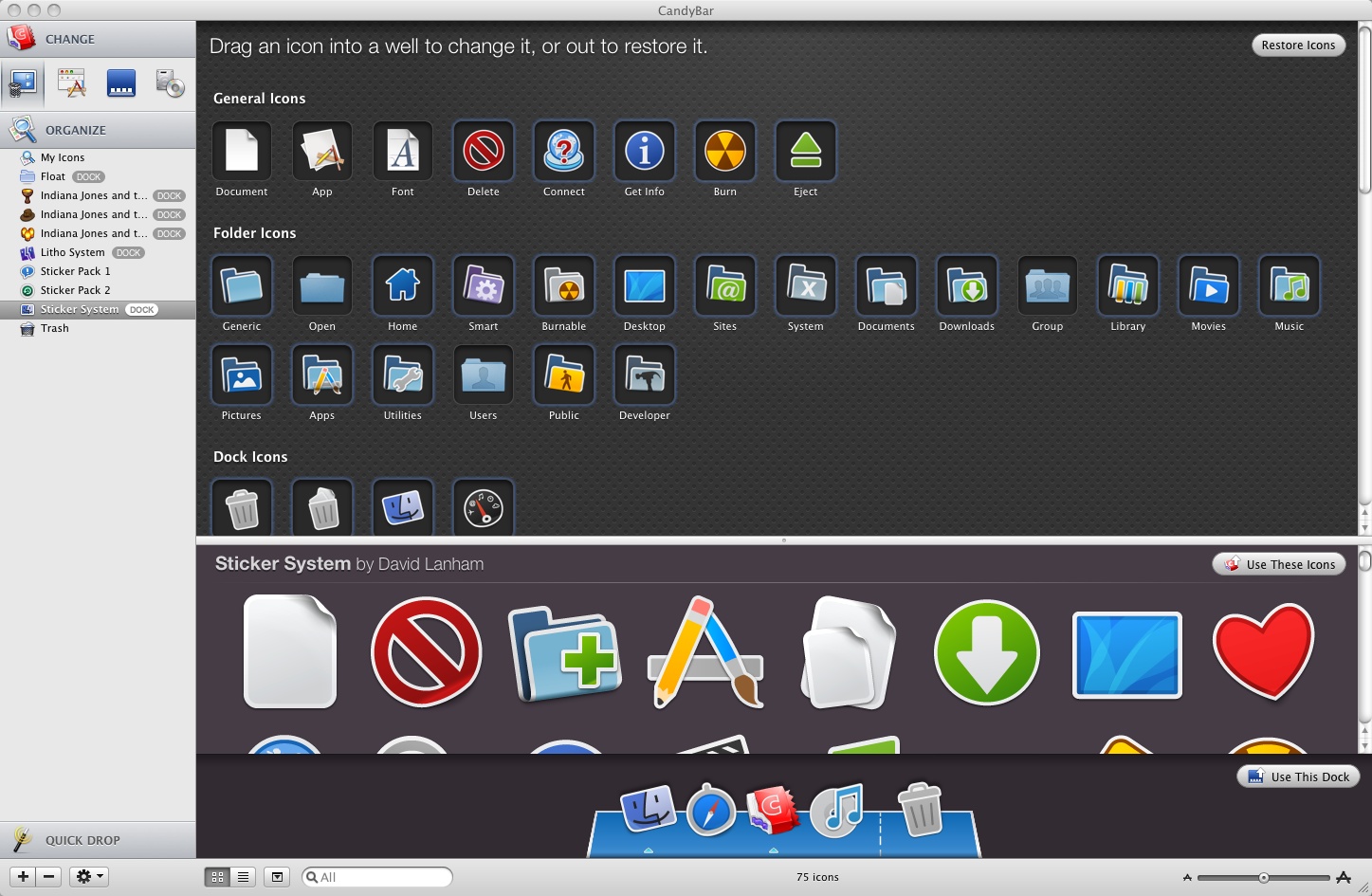
I love icons. Especially now that we’re at the point with Leopard where we have large, detailed, beautiful icons to look at. The team at the Iconfactory make some of the most beautiful and best designed icons I’ve ever seen. It’s a hassle, though, to go in and manually change out your icons every time you want to refresh your look.
Thankfully, those same folks that make the beautiful icons, also make an incredible application designed for changing those icons in just a few clicks.
Candybar 3 is the only application you’ll ever need to customize your icons and your dock. All you have to do is launch the app, click on the icons you want, and select “Use these icons” – Candybar does the rest.
The Iconfactory provides iContainers for their icons making it as simple as one click to load them into Candybar, or, if you want, you can manually organize, import and arrange your icons in a familiar, iTunes-like interface.
Everything about Candybar 3 is simple, clean, and easy to understand. It does what you want it to do simply, and easily.
It is, however, Leopard only. If you’re still using Tiger, you can download Candybar 2. When you’re ready to move to Leopard, Candybar 3 will be right here waiting for you.
You can download a free demo right here. The full version costs $29.


4 thoughts on “Review – Candybar 3”
liteicon does the same and is free.
Ben,
With all due respect, while LiteIcon is indeed a useful (and free) product, there are many aspects that set CandyBar 3 apart from it. Here are just *some* of the things CandyBar can do that LIteicon cannot:
• Make use of Windows .ico files
• Set your iChat buddy avatars
• Organize thousands of icons quickly & easily
• Convert Mac & Win icons to all manner of image formats quickly
• Customize the appearance of Leopard’s Dock
• Instantly customize any desktop folder or file you dropped onto it
• Lets you distribute icon creations in handy, searchable iContainers
• Created by a dedicated team of programmers who have spent more than a decade creating quality Mac software
• Backed by a talented team of icon artists creating new, free content for the app on a regular basis
I could go on, but I think you get the idea. Hope this helps set the record straight! 🙂
Oh dear, I feared my comment was too brief just after i posted it. I did not mean to slight CandyBar, simply suggest that Liteicon was viable and free alternative.
I conceed that the dock feature is missing from LiteIcon and is a feature i may have used. But i am not sure i would use any of the others (iContainers work in LiteIcon). That said maybe for someone who wants to use .ico files etc it may be $29 well spent.