
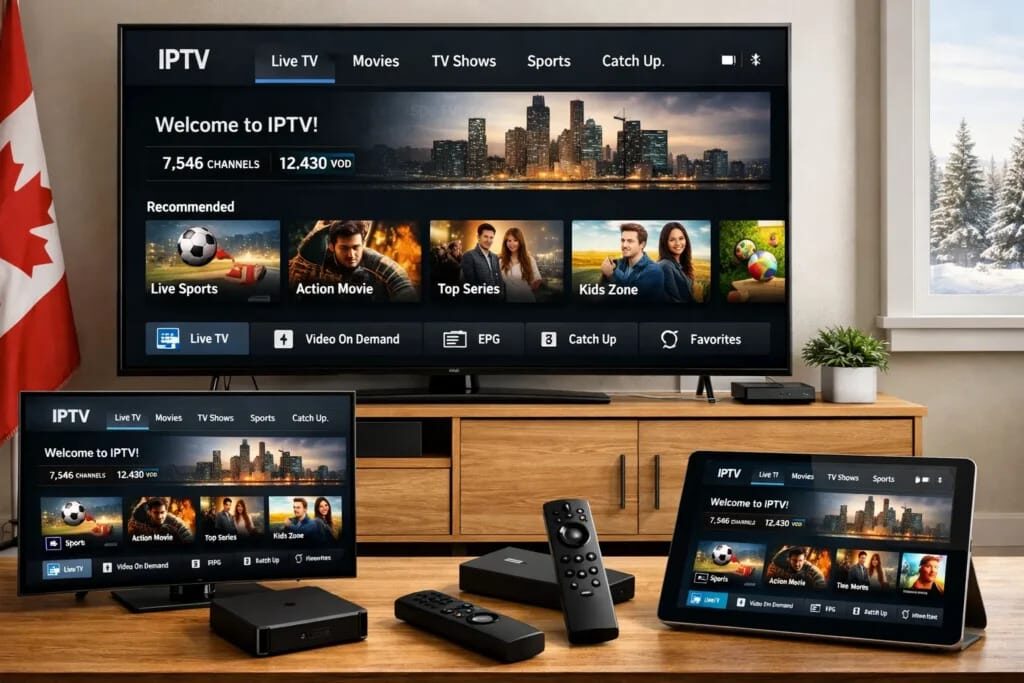
Streaming television content has completely evolved, and Apple users across Canada are leading the shift towards modern digital viewing. The high-resolution Retina displays on iPhones and iPads offer a fantastic canvas for live sports, news, and on-demand movies. To unlock the true potential of your Apple hardware, selecting the right media player is essential. Choosing a top-tier IPTV Provider In Canada ensures you enjoy ultra-smooth playback, extensive buffer-free streaming, and instant access to thousands of entertainment channels tailored specifically for Canadian viewers.
Whether you are catching live hockey games on a daily commute or enjoying 4K movies at home, having an optimized iOS application transforms your smartphone or tablet into a portable home theater. This ultimate 2026 guide highlights the best IPTV apps available for iOS and iPadOS devices, explaining their core features, setup steps, and performance capabilities.
Why Use IPTV Apps on iOS Devices?
Apple devices are known for powerful processors, incredible visual fidelity, and robust security architecture. Running streaming applications on iOS offers several direct advantages:
- Pristine Picture Quality: Apple’s display engineering ensures vibrant colors, deep blacks, and crisp 4K support.
- Portability & Convenience: Stream your favorite local and international channels seamlessly wherever you have a Wi-Fi or cellular connection.
- System Integration: Take advantage of native iOS features like Picture-in-Picture (PiP), background audio playback, and AirPlay casting to Apple TV.
- Security & Privacy: Apps available on the official App Store undergo strict security screening, keeping your personal data safe.
Key Features to Look For in an iOS IPTV Player
Before downloading a media player from the App Store, make sure it supports essential functionalities required for a smooth viewing experience:
1. Broad Format & Protocol Support
A reliable application must easily handle standard M3U playlists, M3U8 files, and Xtream Codes API connections. This guarantees quick integration with your preferred entertainment playlists.
2. Interactive Electronic Program Guide (EPG)
An integrated TV guide makes browsing current schedules and upcoming programs intuitive. Look for players that automatically update grid schedules using XMLTV formats.
3. Native Video Engine & Hardware Acceleration
Apps built on robust engines like VLC or IBO playback frameworks consume less battery power while rendering high-definition and 4K streams with zero frame drops.
Top 5 IPTV Apps for iPhone & iPad in 2026
Here is a breakdown of the leading media players designed specifically for Apple iOS and iPadOS environments.
For Quebec households seeking a seamless local streaming experience, pairing these iOS applications with VisionTivi IPTV provides an excellent solution. It gives families across Quebec and eastern Canada reliable access to French and English local channels, live regional sports coverage, and comprehensive traffic updates right on their mobile screens.
1. UHF Player – The Modern All-Rounder
UHF is widely considered one of the sleekest players for Apple users. Built natively for iOS, iPadOS, and tvOS, it delivers a modern, fluid interface that feels completely at home within the Apple ecosystem.
- Key Highlights: Syncs seamlessly across devices using iCloud, supports multi-view mode, and provides excellent EPG parsing.
- Best For: Users seeking a modern UI and smooth synchronization between iPhone, iPad, and Apple TV.
2. IPTV Smarters Lite – Best for Beginners
IPTV Smarters Lite remains a household name in the media player world. It provides a clean, well-organized dashboard that separates Live TV, Movies, and TV Series into clear categories.
- Key Highlights: Easy login using Xtream Codes API, multi-screen functionality, and parent control filters.
- Best For: Viewers who want an easy setup process without complex manual configurations.
3. GSE Smart IPTV – Best for Power Users
GSE Smart IPTV is a feature-rich application designed for users who want complete control over their streaming setup. It manages multiple playlists simultaneously with ease.
- Key Highlights: Advanced playlist management, custom EPG integration, subtitle customization, and support for dynamic stream formats.
- Best For: Advanced users managing multiple custom playlist formats and international stream sources.
4. Flex IPTV – Reliable M3U Performance
Flex IPTV excels at handling remote M3U playlists efficiently. It is lightweight, fast-loading, and highly stable during live sports broadcasts.
- Key Highlights: Automatic playlist updates, parental controls, external player switching, and low memory usage.
- Best For: Streamers who prefer simple, direct M3U playlist loading with quick navigation.
5. IBO Player Pro – Fast & Multi-Device Ready
IBO Player Pro has gained massive popularity due to its swift channel-zapping speeds and lightweight footprint. It provides rich metadata, including movie posters, trailers, and episode recaps.
- Key Highlights: Fast load times, customizable themes, multi-language subtitle selection, and 4K playback support.
- Best For: Users wanting an elegant, Netflix-style layout for video-on-demand content alongside live TV channels.
Comparison Table of Top iOS Players
| IPTV App Name | Best Feature | Interface Style | Ideal User |
| UHF Player | Cross-device iCloud Syncing | Modern & Minimalist | Everyday Apple Enthusiasts |
| IPTV Smarters Lite | Quick Xtream Codes API Login | Traditional Dashboard | Beginners & Families |
| GSE Smart IPTV | Advanced Playlist Controls | Utility & Feature-Dense | Tech-Savvy Users |
| Flex IPTV | Fast M3U Parsing & Updates | Simple & Functional | Direct Playlist Viewers |
| IBO Player Pro | Rapid Channel Switching & VOD UI | Sleek & Media-Rich | Movie & Sports Fans |
How to Set Up an IPTV App on Your iPhone or iPad
Setting up a live streaming player on your Apple device is straightforward and can be completed in just a few minutes:
Step 1: Download Your App
Open the official Apple App Store on your iPhone or iPad, search for your chosen app (such as IPTV Smarters Lite or IBO Player Pro), and click Get.
Step 2: Open the Application & Choose Connection Type
Launch the app. Most players will prompt you to select how you wish to load your channels:
- Xtream Codes API: Enter your username, password, and server URL.
- M3U Playlist URL: Paste the specific M3U web link provided by your subscription.
Step 3: Load Channel Lists & EPG
Click Add User or Load Playlist. The app will automatically sync your live TV channels, electronic program guide, and on-demand video libraries.
Step 4: Customize Your Viewing Experience
Enable Picture-in-Picture mode in your iOS settings so you can continue watching TV while browsing emails or texting. Organize your most-watched channels into your Favorites tab for fast access.
Helpful Tips for the Best Streaming Quality in Canada
To enjoy maximum performance and crystal-clear image quality on your mobile network or home Wi-Fi:
- Use 5GHz Wi-Fi Connections: When streaming inside your home, connect your iPad or iPhone to a 5GHz Wi-Fi band to maximize speeds and avoid network congestion.
- Keep iOS Updated: Always update your iPhone or iPad to the latest version of iOS to ensure peak hardware optimization and app compatibility.
- Enable Hardware Decoding: Check your player’s settings menu and toggle on hardware video acceleration to reduce device heating and save battery life.
- Organize Favorites: Create custom favorite lists within your app so you can jump straight to your preferred news and sports networks without scrolling through thousands of channels.
Conclusion
Finding the right streaming setup on iOS opens up endless entertainment options directly from your palm. Apps like UHF, IPTV Smarters Lite, GSE Smart IPTV, Flex IPTV, and IBO Player Pro provide robust platforms featuring customizable program guides, clear 4K capabilities, and smooth channel navigation. By installing one of these optimized iOS players alongside reliable Canadian streaming services, you ensure a top-tier viewing experience anywhere in Canada.
Frequently Asked Questions (FAQs)
1. Are IPTV applications legal to download on iPhone and iPad?
Yes. The apps listed in this guide (such as IPTV Smarters Lite, UHF, and GSE Smart IPTV) are legitimate media players available directly on the official Apple App Store. They act as video players and do not host or contain any content themselves.
2. Can I stream content on my iPad using mobile cellular data?
Yes, all iOS streaming players work over cellular data connections (4G/5G) as well as standard Wi-Fi networks. For smooth HD and 4K streaming, ensure you have a stable cellular connection.
3. How do I enable Picture-in-Picture (PiP) mode on my iPhone?
First, go to your iPhone Settings > General > Picture in Picture and toggle on Start PiP Automatically. Then, while playing a stream in a compatible app, simply swipe up to return to your home screen—the video will continue playing in a floating window.
4. What is the difference between M3U playlists and the Xtream Codes API?
An M3U playlist is a single web link or text file containing channel stream links. The Xtream Codes API uses your username, password, and server address to categorize live channels, series, and movies neatly into an organized TV guide interface.
5. Can I cast live TV from my iPhone to my TV?
Yes! Most modern iOS players support native AirPlay, allowing you to cast your live broadcast or movie directly from your iPhone or iPad to an Apple TV or AirPlay-compatible Smart TV with one tap.
