

iPhones rely on GPS and location services for a wide range of apps, from navigation and social media to dating platforms and augmented reality games. While location tracking can improve convenience and user experience, there are many situations where users may prefer to control or customize the location their device reports. Before exploring the available methods, let’s look at some of the most common reasons people choose to change their GPS location on iPhone.
Why People Want to Change Their GPS Location on iPhone
From privacy concerns to location-based features that should be accessible regardless of where you live, the reasons for wanting to fake your GPS location are more common than you might think.
There are more than a few reasons to want to spoof your GPS location, from privacy to location-based features that you want to be able to access anywhere.
These are the top reasons why people seek a GPS spoofing solution:
- Protection for privacy: Blocking tracking of your real-time location by apps, websites, or individuals.
- Access geo-restricted content: Unlock location-based features or services you can’t access in your area.
- Social media personalization: Post from a different city or country without leaving home.
- AR games such as Pokémon GO: Catch Pokémon from the Region and join in on Raids throughout the world.
- Test location based apps: Developers and QA testers must not travel to simulate different locations.
However you do it, it’s important that you do it safely and reliably on iOS — an often closed ecosystem.
The Problem with Traditional iPhone GPS Spoofing Methods
The traditional methods of iPhone GPS spoofing have all their drawbacks.
Android is easier to fake GPS than iOS, which has a built-in mechanism to prevent tampering with location data. The traditional solutions have real disadvantages:
- Jailbreaking: This will void warranty, make your device vulnerable to security threats, and may cause loss of functionality of certain apps.
- Complex desktop software: Many desktop applications are complex, and require technical set up, developer certificates, and cable connection which is difficult for many users.
- Security concerns: Third party apps from dubious sources may be gathering your data or adding malware.
- System instability: These are poorly-designed tools that lead to the freezes, crashes, or even soft-bricking of your device.
Users want an iOS-based app that can be used on-device, doesn’t need jailbreak, and is designed for location simulation. Now, that is what MocPoGo provides..
What Is MocPoGo? Key Features That Make It Stand Out
MocPoGo Location Changer is a professional GPS spoofing tool designed for iOS devices. It allows users to change their location to virtually anywhere in the world without requiring a jailbreak. Whether you want to teleport instantly, simulate movement along a route, or navigate using a virtual joystick, it provides a flexible solution for a variety of location-based applications and games.
Here are the standout features:
- Teleport Mode: Instantly jump to any location on Earth by entering a city name or coordinates. Perfect for quick one-tap location switching.
- 2-Spot Mode: Simulate movement between two points at a custom speed. Great for games that require walking distances.
- Multi-Spot Mode: Set up a full route with multiple waypoints and let MocPoGo simulate the journey automatically.
- Joystick Mode: Move your character in first person in real time with the on screen joystick. Perfect for Pokémon GO players who wanted accuracy when navigating the game world.
- No Jailbreak Necessary: Compatible with standard, non-jailbroken iPhones?running the latest iOS versions.
- Supports All Location-Based Apps: Use it on Pokémon GO, Find My, dating apps, social networks, and more.
For Pokémon GO players specifically, MocPoGo also functions as a reliable Pokémon GO Spoofer for iOS, with a built-in cooldown timer to help you avoid soft bans.
How to Fake GPS Location on iPhone Using MocPoGo
Step 1: Install MocPoGo
Visit the official MocPoGo webpage and download the MocPoGo iOS App for your iPhone device.
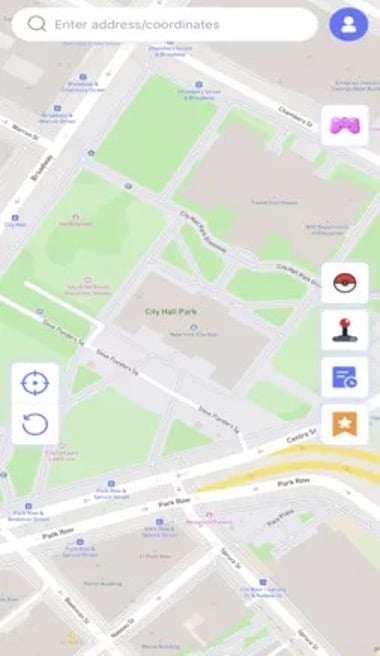
Note Remember to Turn on Developer Mode: Toggle Developer Mode on in Settings > Privacy & Security > Developer Mode. This is necessary for the app to operate.
Hit Teleport and Configure the VPN: Select the location and hit teleport on the Map.
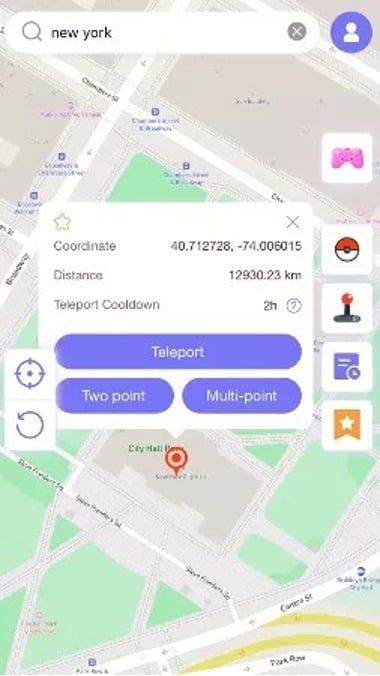
Follow the in-app instructions to set up the VPN profile.
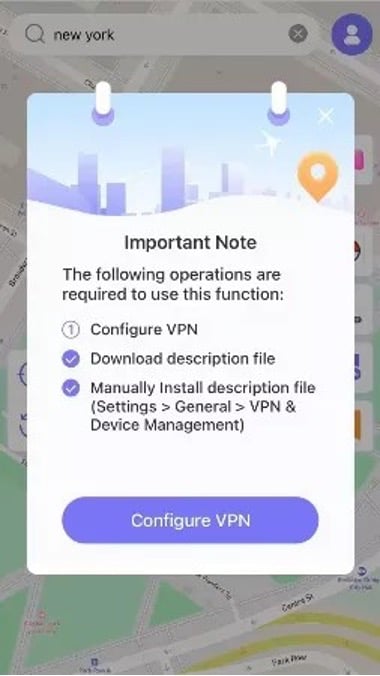
This is the way MocPoGo routes your spoofed location all over the entire system.
Step 3: Select Your Mode: When on the map screen, choose Teleport Mode to go to a specific location, or Two-Spot/Multi-Spot Mode to play like on a route.
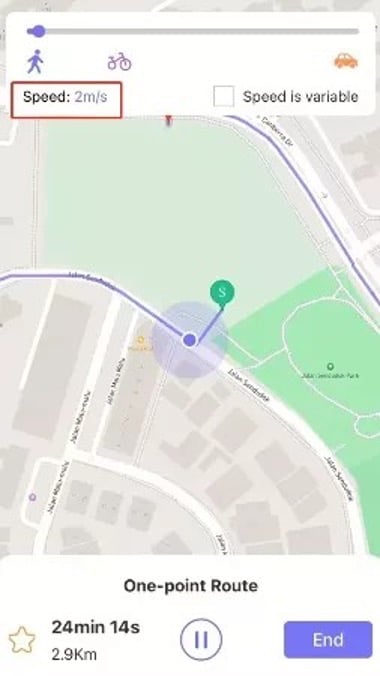
Step 4: Set Your Fake Location: Put in the name of a city or a set of coordinates in the search bar, then touch Go. From now on, your iPhone’s GPS will tell all apps that you’re at the fake location.
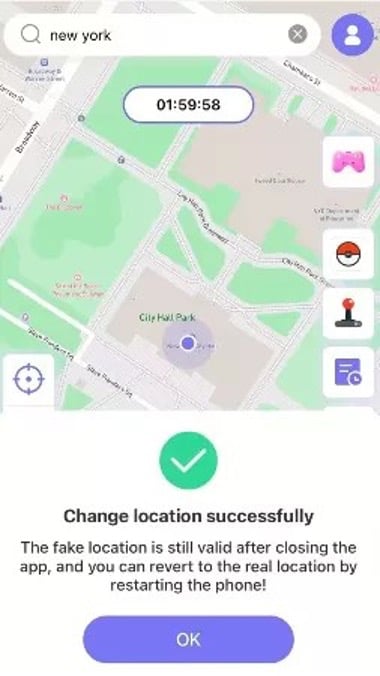
That’s it. No complicated configuration, no cable, no computer. Every location-based app on your iPhone – from maps to Pokémon GO – will get the fake location you chose.
Final Verdict: Is MocPoGo Worth It?
Anyone who has ever encountered a clunky GPS Spoofing app for their desktop or who’s ever been frightened off or intimidated by jailbreak will find MocPoGo exactly what they’ve been searching for. It’s a native iOS app that delivers a clean user experience, and serious spoofing power.
It’s definitely a good suggestion because it is easy to set up, your device remains protected with no jailbreak required and you retain warranty, supports the latest iOS, and regular updates keep them compatible with all the latest iPhone models and iOS versions.
Many location simulation modes – If you need to teleport anywhere or if you want to walk simulated, MocPoGo has a mode for you.
