
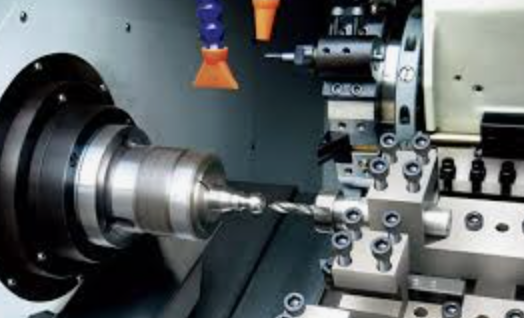
Most CNC programmers make the same mistake when they first sit down at a mill-turn machine: they treat it like a lathe with a milling attachment. It isn’t. And that assumption is responsible for a surprising percentage of the crashes, scrapped parts, and missed tolerances that happen in the first months of working with these machines.
Mill-turn centers — turning-milling centers capable of performing both lathe and milling operations in a single setup — have fundamentally changed what’s possible on the shop floor. But they’ve also introduced a level of programming complexity that standard turning or 3-axis milling simply doesn’t prepare you for.
Why Mill-Turn Programming Is a Different Beast
On a conventional lathe, you control two axes (Z and X), the spindle rotates the workpiece, and you’re mostly thinking about depth of cut, feed rate, and tool compensation. On a 3-axis mill, you work in X/Y/Z with a stationary workpiece. Straightforward.
A mill-turn center combines all of this — and then adds more. You get:
- C-axis (spindle indexing and contouring) and often Y-axis for off-center milling
- Multiple spindles — main and sub — that can hold the workpiece simultaneously or hand it off mid-program
- Multiple turrets or tool carriers, sometimes operating in parallel
- B-axis head rotation on more advanced machines, enabling full 5-axis simultaneous machining
The first major mistake programmers make is writing mill-turn programs the way they’d write a turning program — sequentially, one operation at a time, with no thought given to what’s running concurrently. On a machine with two turrets, that approach leaves one turret sitting idle most of the cycle. The whole point of the machine is parallelism.
Spindle Synchronization and Multi-Turret Control
When two turrets can cut simultaneously, the program structure has to account for synchronization points — moments where one turret waits for the other before proceeding. Miss a sync point and you risk a collision. Add too many unnecessary sync points and you kill your cycle time advantage.
Most control systems (Mazatrol, FANUC, Siemens 840D) handle synchronization through wait codes or M-codes that pause one channel until the other reaches a defined state. A typical approach looks like this:
- Turret 1 machines the OD while Turret 2 drills axial holes — operations that don’t interfere
- Both turrets reach their respective WAIT M-codes before the workpiece transfer to the sub-spindle begins
- After the handoff, Turret 2 faces the back end while Turret 1 regrips or retools
The challenge is that these relationships aren’t visible in a standard G-code listing. You need to think in two (or more) parallel timelines simultaneously. Programmers who come from a single-spindle background often struggle with this until they start drawing the operation sequence as a Gantt chart rather than a linear list.
Sub-spindle handoff deserves special attention. The moment the main spindle releases the part and the sub-spindle grips it, both spindles must be rotating at the same speed and direction. A speed mismatch — even a small one — damages the chuck, the part, or both. This is handled through spindle synchronization (SYNC ON command or equivalent), but the programmer must verify the exact G-code syntax for their specific control, because implementations vary significantly between manufacturers.
Sequencing Operations to Minimize Setups
One of the biggest advantages of mill-turn machining is the ability to complete a part in one chucking. But this only works if the operation sequence is planned correctly from the start.
The general principle: rough first, finish last, and never cut where you can’t support the part.
In practice, this means:
- Rough turn the main features before any milling — the workpiece is most rigid and you can take aggressive cuts
- Mill cross-holes and flats while the part is still supported close to the chuck
- Part off or transfer to the sub-spindle before machining features near the free end
- Finish turn critical diameters after milling to avoid any distortion from milling forces
- Machine back-end features on the sub-spindle last
A common error is scheduling finish turning before milling is complete. Even light milling passes introduce vibration and residual stress that can shift a diameter by several microns — enough to take a part out of tolerance. The correct sequence almost always is: rough ? mill ? finish.
Toolpath overlap is another issue specific to multi-turret machines. If both turrets are cutting simultaneously, their Z-axis movements have to be planned so they don’t occupy the same space at the same time. This sounds obvious, but it’s easy to overlook when you’re focused on optimizing each turret’s cycle independently.
Collision Avoidance in a Tight Work Envelope
Mill-turn machines pack a lot of hardware into a relatively small space: two spindles, one or two turrets, possibly a steady rest, chip conveyor, and the workpiece itself. The clearances between these elements can be surprisingly small, especially when long workpieces or large-diameter parts are involved.
The three most dangerous collision scenarios in mill-turn programming:
1. Turret-to-turret collision — Two turrets approaching the same Z position simultaneously. Solution: explicit Z-axis limits per channel and careful review of sync code placement.
2. Tool body collision during indexing — The turret rotates to select a new tool while positioned close to the workpiece or the chuck. Long boring bars and large-diameter face mills are particularly risky. Always retract to a safe position before indexing.
3. Sub-spindle approach collision — When the sub-spindle moves in to grip the part, the tooling on the main turret must be fully retracted. A sync code that triggers too late can send the sub-spindle into an active tool.
Post-processor configuration plays a role here. Many post-processors for mill-turn machines have machine-specific safe retract logic built in, but it has to be properly configured for your machine’s specific geometry. Using a generic post and assuming it handles clearances correctly is a bet you don’t want to make.
Why You Don’t Run Mill-Turn Without Simulation
On a 3-axis mill, an experienced programmer can often dry-run a new program with reasonable confidence. On a mill-turn machine, that approach is genuinely dangerous.
The interactions between moving elements are too complex to fully visualize mentally, especially once you add a second channel. Simulation software with a full kinematic machine model — including the chuck, tailstock, sub-spindle, both turrets, and the workpiece in all stages of completion — is not optional. It’s the difference between finding a collision at the computer and finding it when the machine tries to put a turret through a spindle.
Modern CAM solutions designed specifically for multi-spindle turning centers allow programmers to verify both channels simultaneously in real time, catching sync errors and clearance issues before a single line of code reaches the machine. For example, https://encycam.com/ supports full multi-spindle mill-turn programming with integrated collision detection and realistic simulation of synchronized turret operations — which significantly shortens the verification loop compared to manual code review and dry runs.
The simulation step should include:
- Material removal verification — confirms the part geometry matches the model after all operations
- Machine collision check — verifies no collisions between any moving machine components
- Cycle time estimation — helps validate that parallel operations are actually saving time
A program that passes simulation isn’t guaranteed to be perfect, but it eliminates the most common and most expensive failure modes before the machine ever starts.
The Mindset Shift That Makes the Difference
Experienced mill-turn programmers don’t think about operations — they think about time. Every second that a spindle or turret is idle is a second of capacity being wasted. Every unnecessary retract, every sequential operation that could have been parallel, every sync point that could have been eliminated — these are the details that separate a 4-minute cycle from a 6-minute cycle on the same part.
Getting there requires unlearning some habits that work perfectly well on simpler machines. But the programmers who make that transition consistently find that mill-turn machining becomes one of the most satisfying disciplines in CNC work — because when the sequencing is right and both turrets are cutting in perfect coordination, it looks like the machine is doing two jobs at once.
Because it is.
