

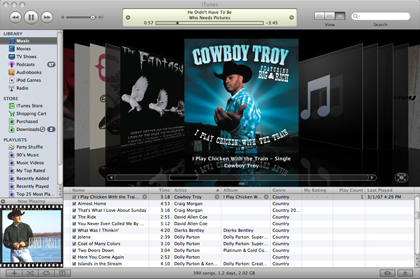
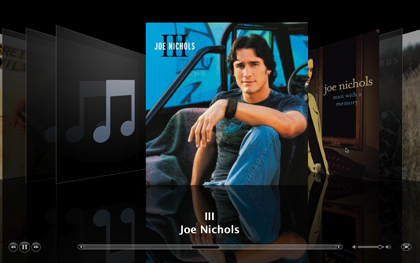
iTunes 7.1 has been released today. The updated software includes several fixes, Apple TV support, and a cool new feature…full screen Cover Flow.
I was a little disappointed by the full screen Cover Flow, because I was hoping the images would flip over and show you the full track lists like the full screen Cover Flow demonstrated on the iPhone.
Still, it’s kinda cool. Check out the screenshots below.



7 thoughts on “First impressions of iTunes 7.1 w/ screenshots”
I was thinking that too! Where is the flip over image with the track list? 🙁
There could be two reasons. 1 – iPhone only feature. 2. waiting ’till iPhone appears and release it after.
You need some Rap albums man, what is this broke back mountain? 🙂
Hey Steve –
Cowboy Troy is kinda rap…
…and I’m from Texas dammit. 🙂
Plus, I have the Red Hot Chili Peppers, and The Beatles in here too..doesn’t that count for something?
I must be stupid, because i really cant find the full screen coverflow mode… how do i get to it?
Hey Jamie…if you look in the iTunes screenshot above you’ll see in the bottom right corner of the Cover Flow area of iTunes a button with a square in it and arrows pointing out from each side of it.
Click it, and you’ll be in full screen Cover Flow mode.
thanks mate, i had the old version of iTunes still.. ha. My iTunes app was in a folder within applications and i somehow had 2 versions installed; hense, utter confusion.