

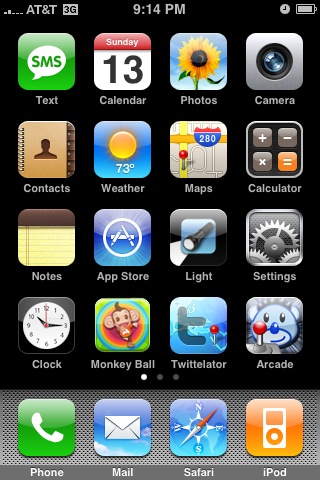
Here’s a quick tip about the iPhone 2.0 software upgrade that I’m going to be using daily – how to take a screenshot of your iPhone.
It’s very simple, all you have to do is hold the “sleep/wake” button and the home button at the same time. Release, and BOOM – iPhone screenshot.
The photo pops up in your camera roll for you to email, use as a wallpaper, send to MobileMe, or sync with your Mac or PC.


4 thoughts on “iPhone 2.0 Quick Tip – Take a Screenshot of your iPhone”
also works with iPod touch on iPhone 2.0 software 😀
I’m really glad that Apple included this feature because for bloggers like us it is priceless.
@Michael
Exactly. I’m going to be using this feature daily.
I did NOT see the genius in this yesterday when I read it. I am now seeing that I will be using this a lot too.
It will be really easy now to find movie times (using BOXOFFICE APP), or Baseball Scores (using AT BAT APP), or info on the Internet (using SAFARI) take a screenshot, then email the photo to who ever. This is GREAT!